This page is to track the progress of the Team Project.
Team members: Sam Heaver (Art), Lewis Gilbey (Art), Owen Ellerby (Art), Gracjan Krowiak (Art), Deacon Higginson (Coding).
Neon Streets
[13/02/2021]
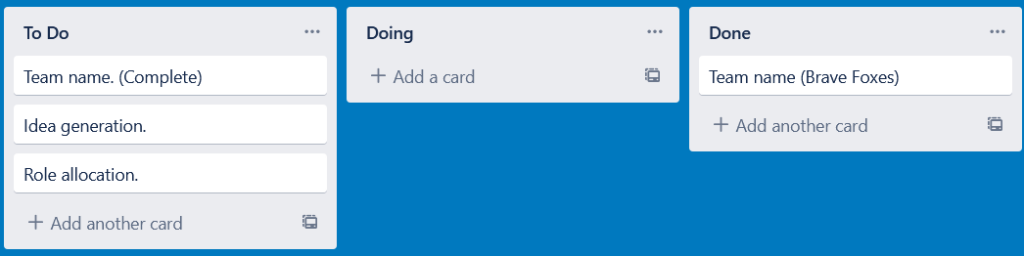
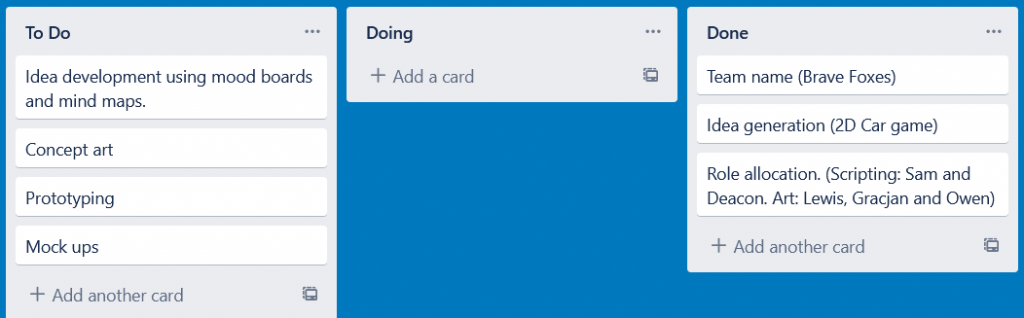
I created a Trello board and invited the members of the team to it so that we could brainstorm ideas and track progress throughout the module. I started putting various elements on the board so that we could track what we had to do. After putting forwards various ideas, we all decided on the name Brave Foxes.
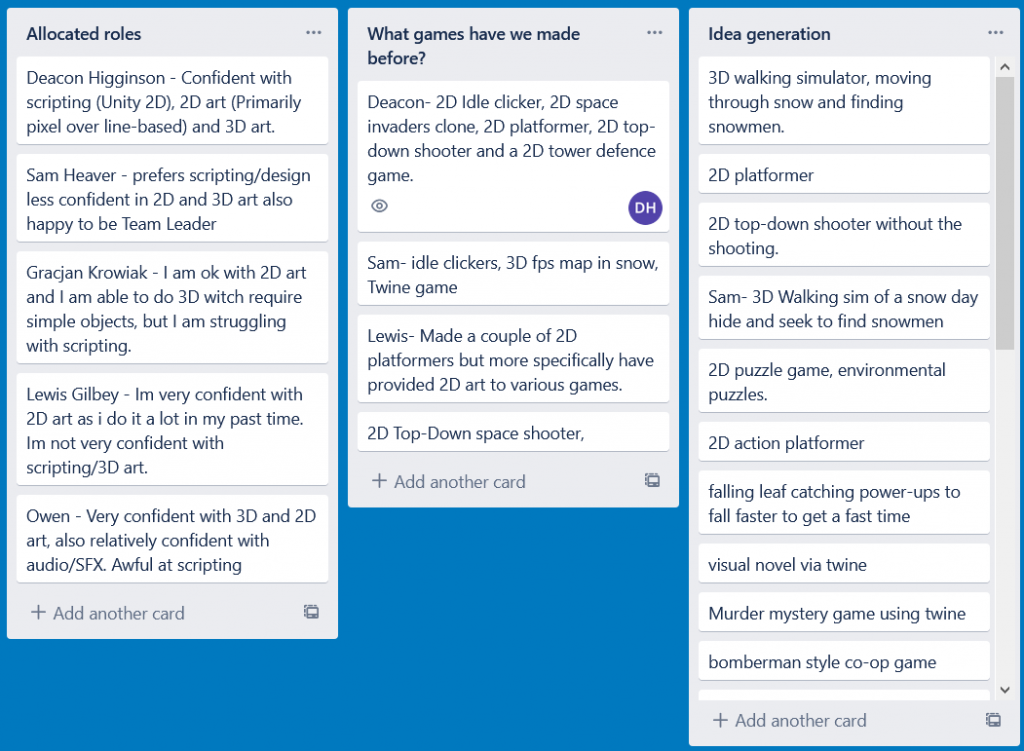
I created two tabs, allocated roles and what games have we made before?. Each team member wrote their strengths and weaknesses in the allocated roles section so that we could allocate roles based these. In the what games have we made before section, we wrote down the various games we had created before this project. I created this tab so that we could all get an idea of the kind of games we’ve made before. I wanted to know the kind of games my teammates had made so that, during idea generation, I’d know what kind of ideas I could put forward that would be possible to create in the time frame we have available to us.
I then created the idea generation tab for us to write down various ideas, although the majority of them aren’t very advanced.
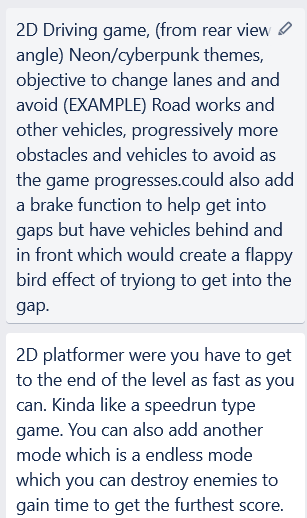
Two of the ideas put forwards were very advanced in their descriptions compared to the rest, going so far as to give examples of progressive game play and comparisons to similar games. Personally, I want to go forwards with the 2D driving game although we haven’t yet decided on the game we will be making.
[15/02/2021]
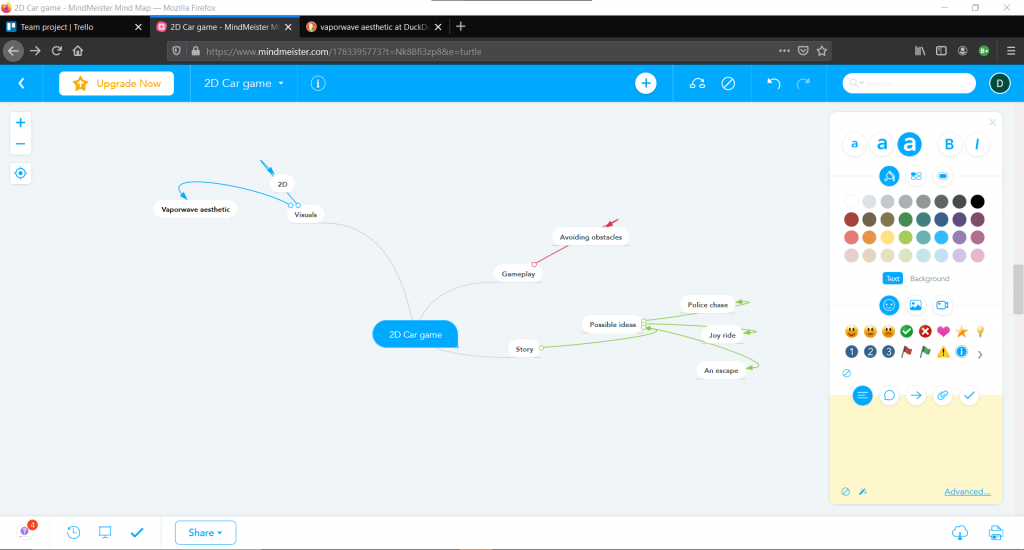
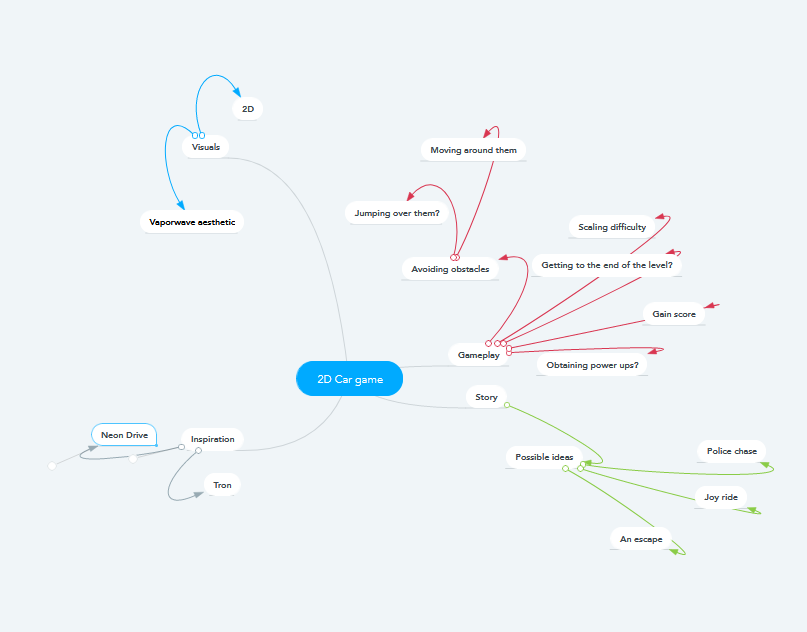
Last week, we decided on a game concept. We’re making a 2D driving game. To advance that idea, I have started a mind map. This mind map can be edited by everybody on my team so that we can all share ideas between each other.
I have also updated the Trello board to keep the team updated as to which tasks have been complete and which tasks need to be complete.
I have updated the mind map with various ideas for gameplay elements, inspirations for the game, possible story elements and visuals elements.
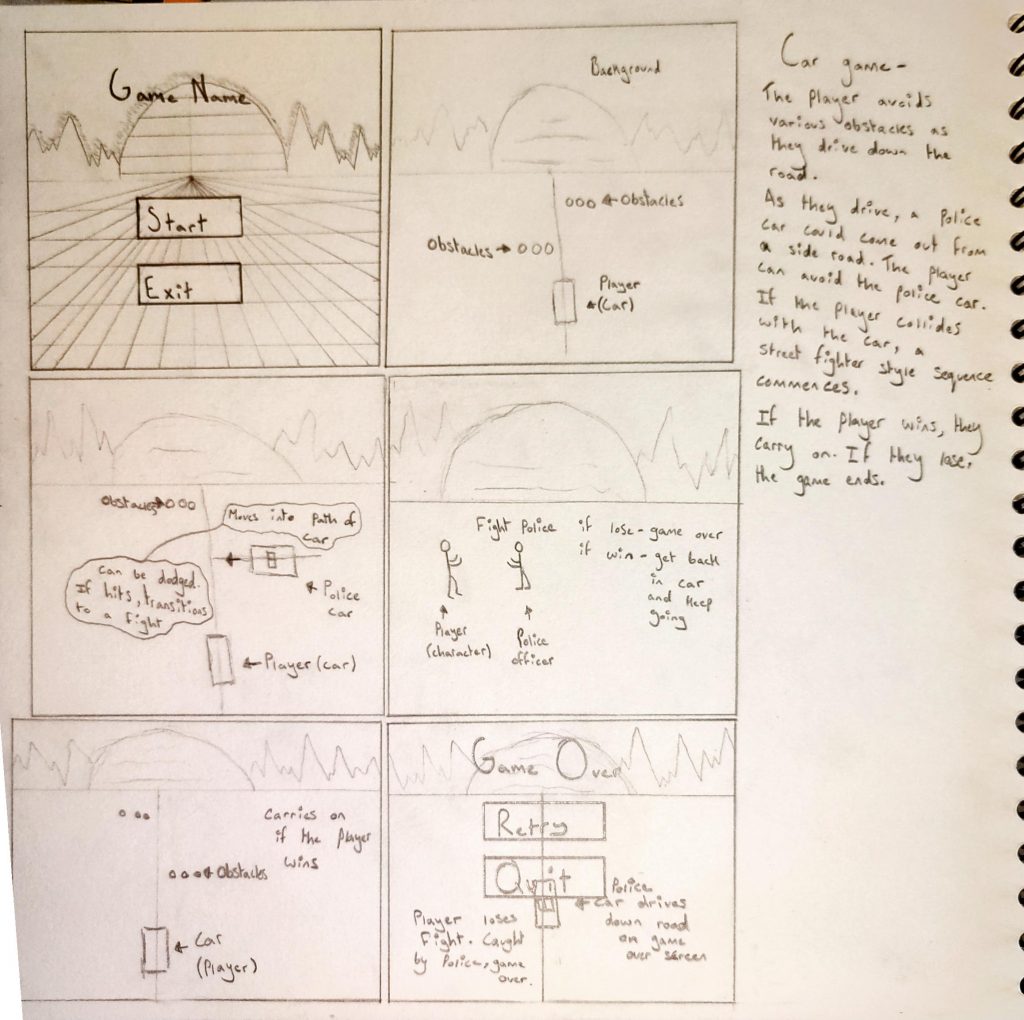
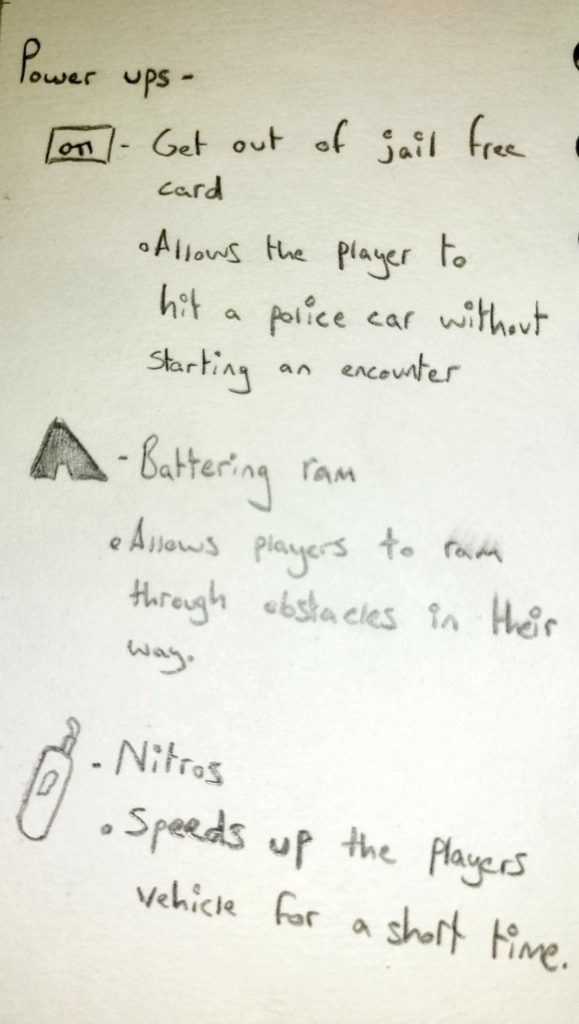
I drew a storyboard of the possible gameplay loop of the 2D car game. To the right of the storyboards, I have written a short description of the possible gameplay loops. In the gap between the description, I drew and wrote about some possible power ups for the game.
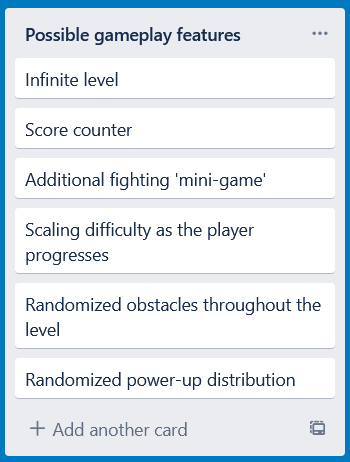
I added a tab to the Trello board that suggests various gamplay elements we had discussed a group.
[18/02/2020]
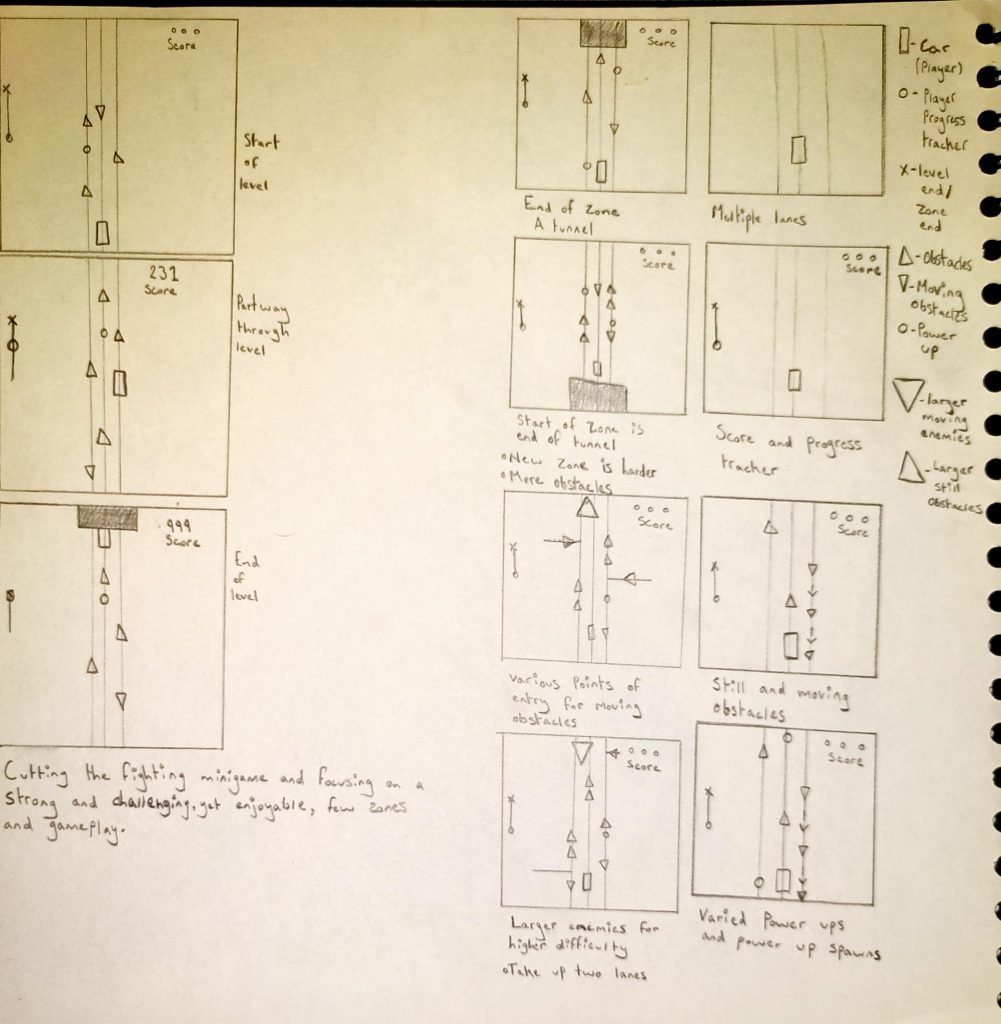
I drew another, more detailed, demonstration of the games core mechanics and features. I drew this to demonstrate possible mechanics and features of the game to team mates. We talked about the points I brought up and agreed to pursue these rather than the ones I presented before. The key difference between this and the old mechanics I had envisioned is the lack of the fighting mini game. I felt that, although it seemed good in concept, the fighting mini game would be a hassle for both the team and the players as it would take them out of the gameplay loop.
[22/02/21]
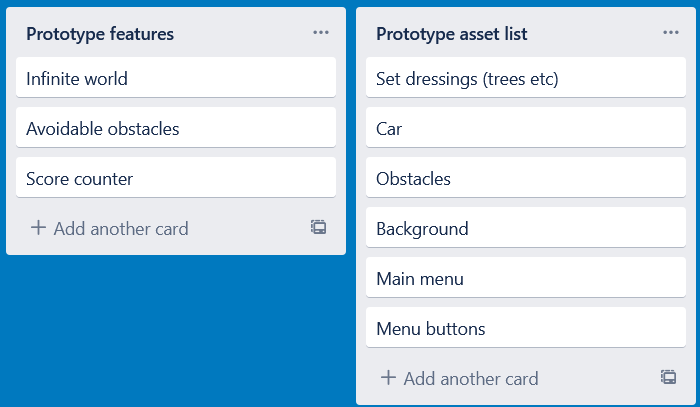
This week we have started the creation of a prototype version of the game we have been planning. Due to it being a prototype, we want to create a short but tight demonstration of what the game will be. This version won’t include various zones, power ups, moving obstacles or rising difficulty. It will be more of a proof of concept, a demo to show what we are looking to make and proving that we have a solid base to build it of off.
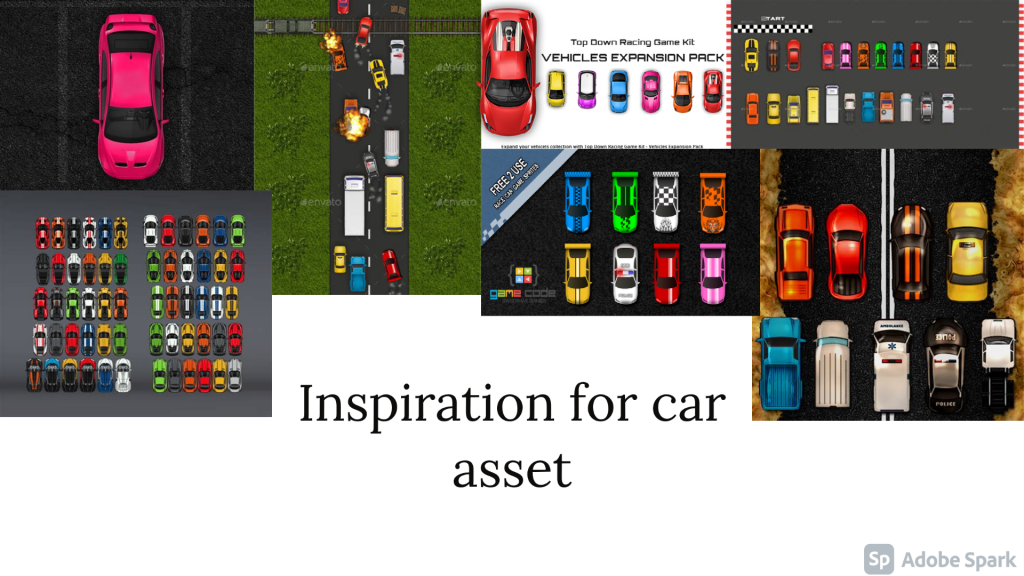
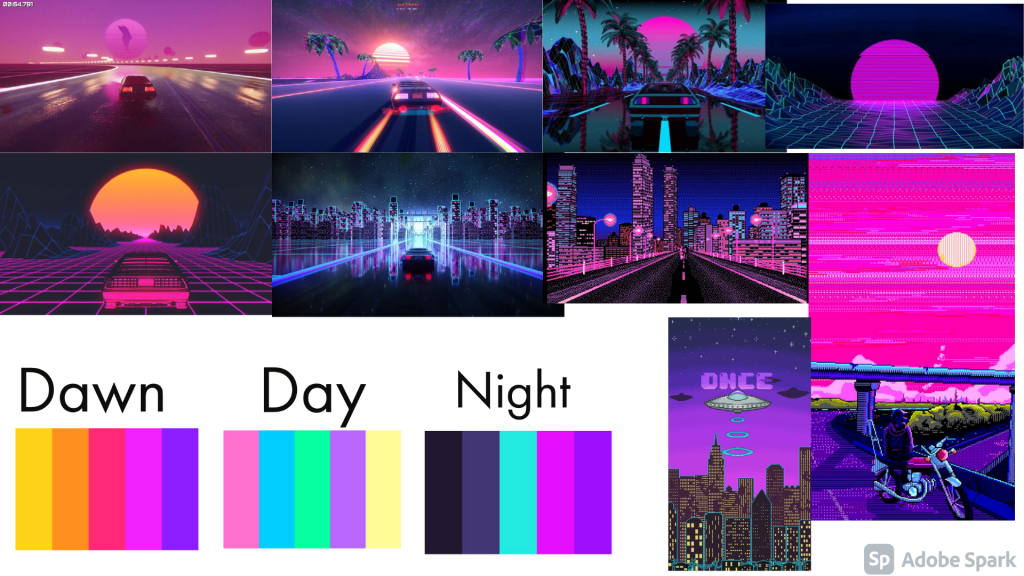
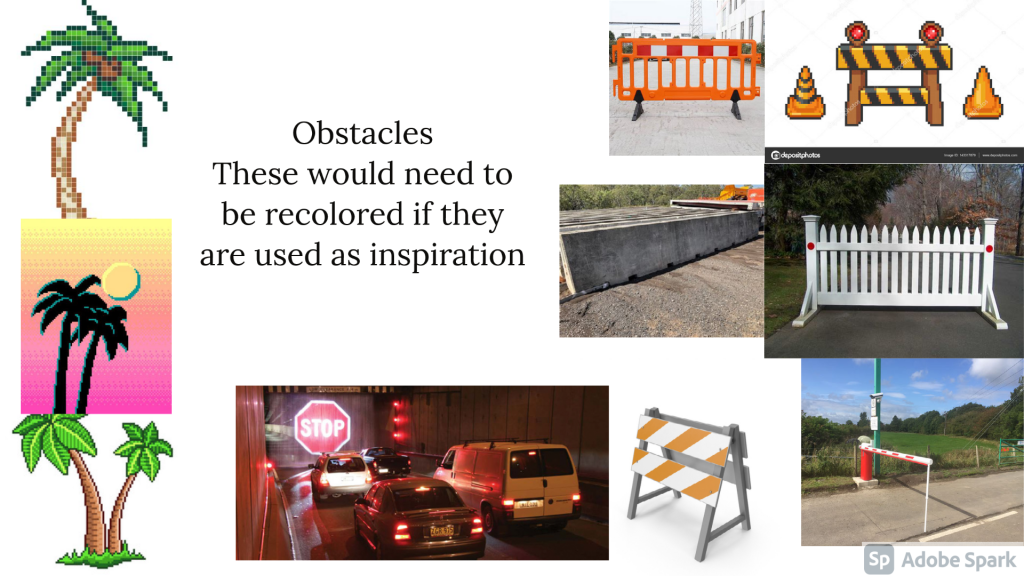
I wrote down the features of the prototype and the assets that would be needed to create it. I then created two mood boards. The first one shows various top-down cars that can be used a inspiration for the art team to create the player character. The second mood board is full of vapor wave images with vehicles in them. Vapor wave is going to be the primary theme of the game so it helps the art team with creating background and sprites. I also put various color palettes on so the art team could experiment with color variation. I have also made a mind map for the various obstacles that might be created for the game. I made a note saying that, if they are to used for inspiration, they would need to be recolored so that they fit the theme of the game.
[24/02/21]
Today I started scripting the prototype car game. I am using Unity as it is the engine I am most familiar with. I will be using placeholder assets until the actual assets are created.
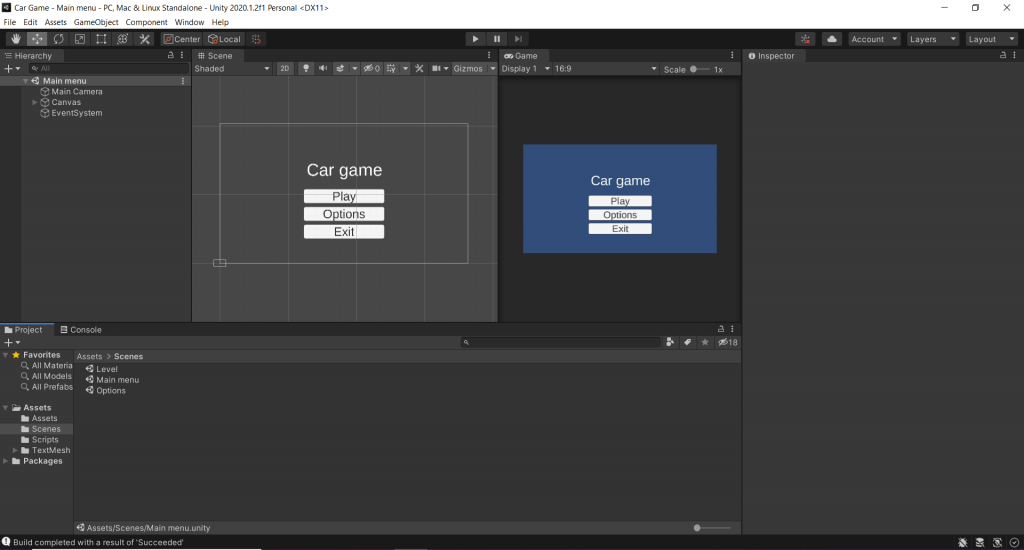
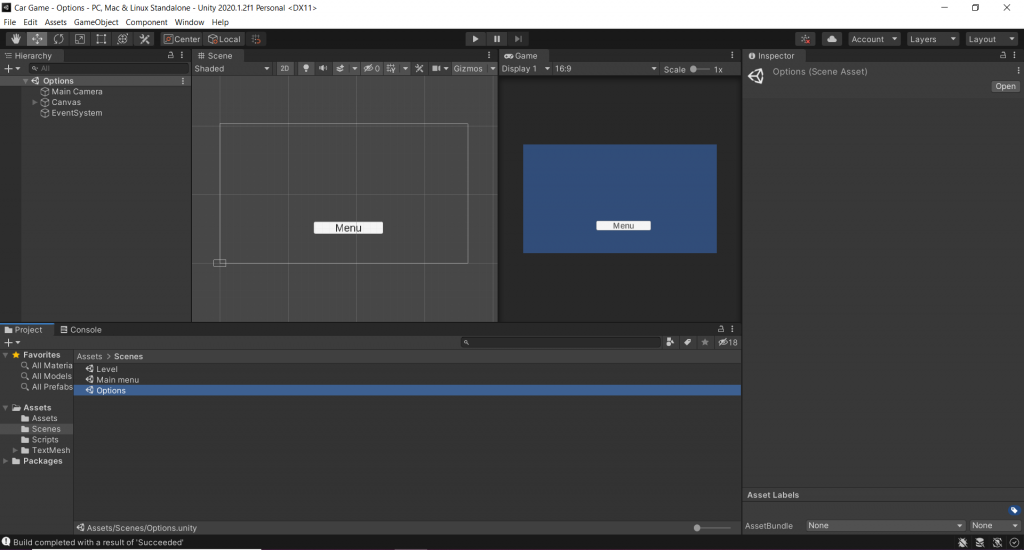
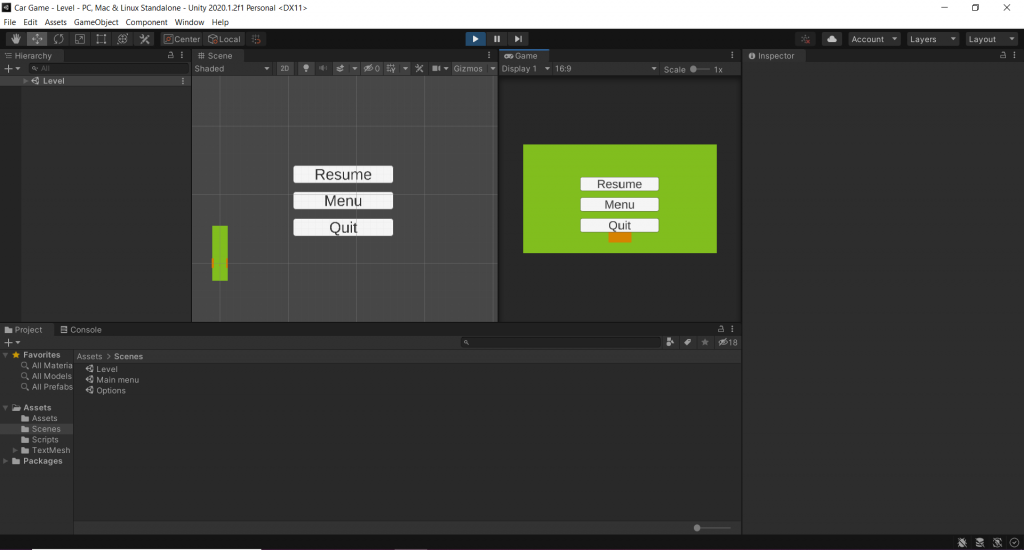
As of now, I have created and scripted the main menu, options menu (Options required), the pause menu and the basic functions of the game (Player movement and a scrolling world).
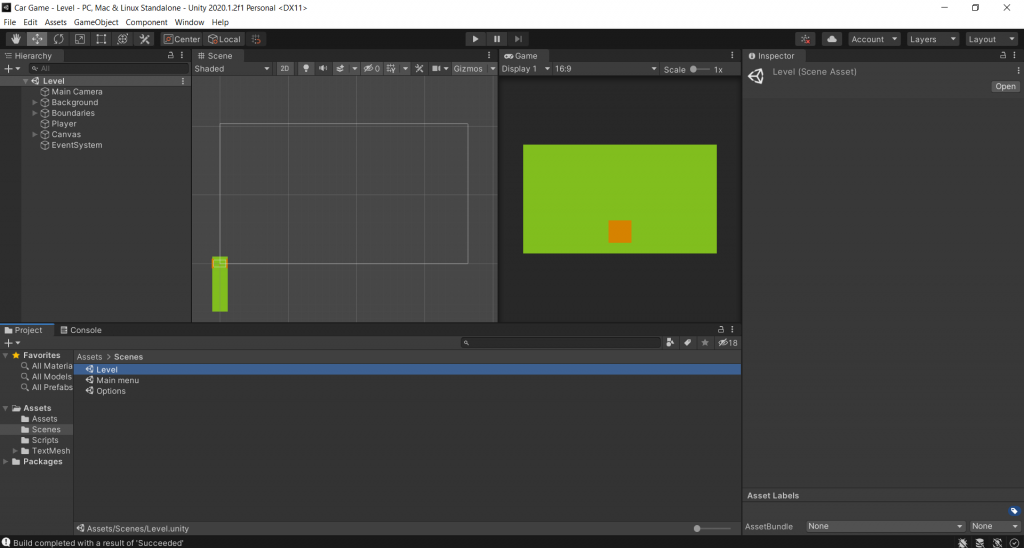
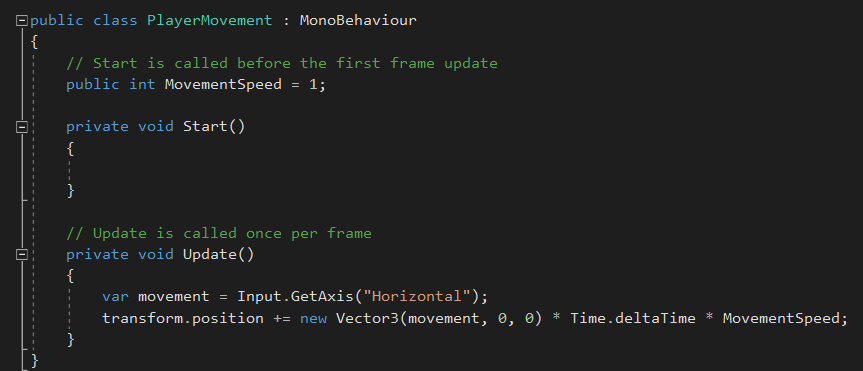
The first script I wrote was the player movement script. This script allows the player to move on the horizontal axis by using either the left and right arrows keys or A and D. The player speed is set to 1 but, due to being a public int, it can be changed outside of the script.
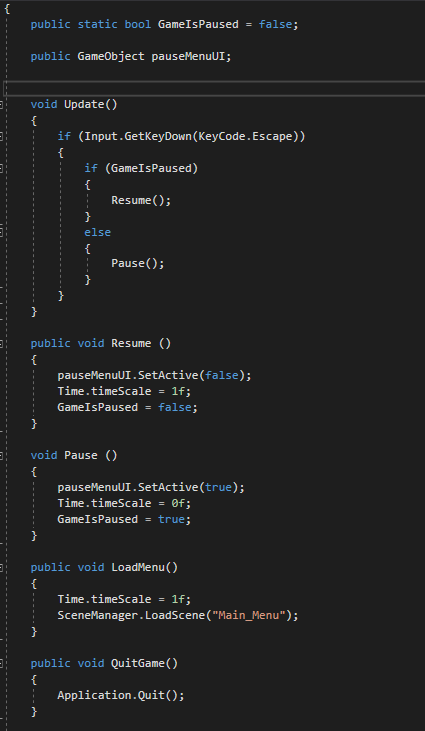
The second element is scripted was the pause menu. This script allows the player to press the escape key and pause the game. This script allows the game to be paused with a press of the escape key by initially setting GameIsPaused to false. Then stating that if the player presses the escape key while GameIsPaused is false then the Pause function will run. This function activates a hidden pause menu UI by setting the state of pauseMenuUI to true and pauses the game by setting the time scale to 0. When the pause menu is open there are three buttons; these buttons are the resume button, the menu button and the quit button. The resume button deactivates the pauseMenuUI and sets the time scale back to 1 reversing the effects of the Pause function. The menu button loads the main menu scene and sets the time scale back to 1 so that the game isn’t paused if the player presses play again. The quit button will quit the application completely.
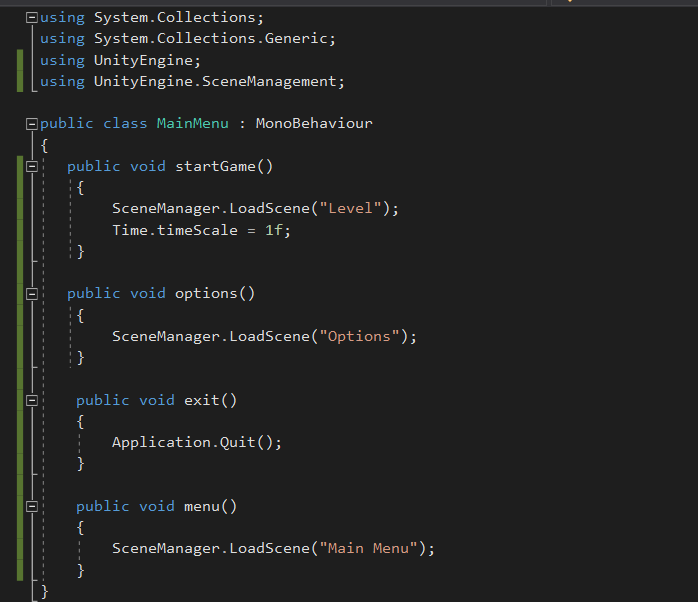
The third element I scripted was the main menu and the pause menu. I used the SceneManager.LoadScene line in each function of the script as it allows the button the script is linked to to load the specified scene. I made four scene loading functions in this script, start, options, menu and quit. These each allow the player to load a different scene of the game or quit altogether.
[26/02/21]
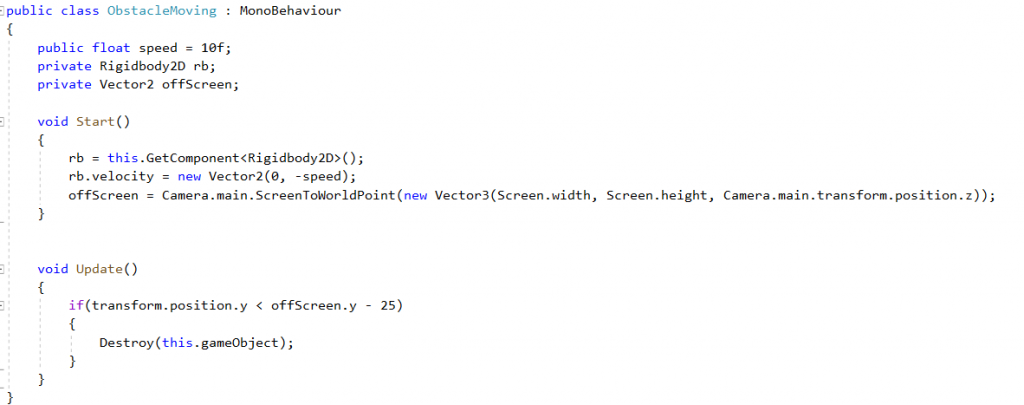
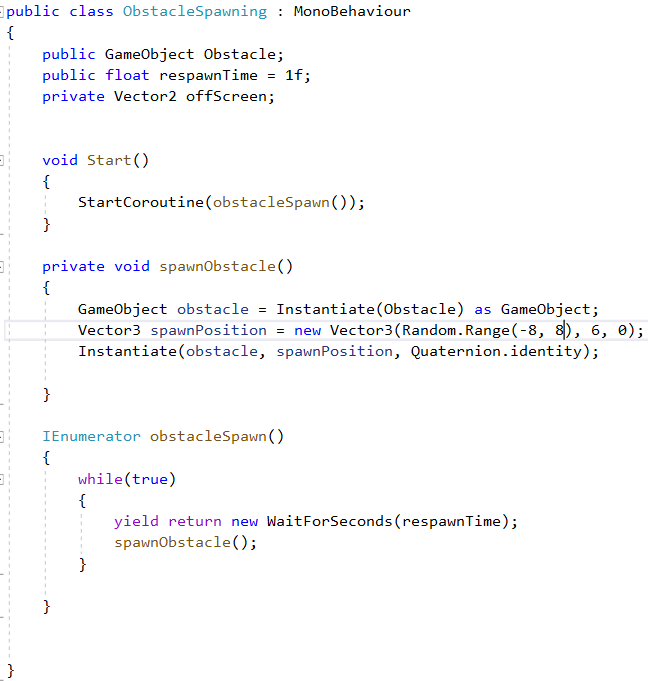
Today I made the obstacle movement and respawn system. For some reason, it spawns enemies in groups of two. I want to find out why it’s doing this as it isn’t intended.
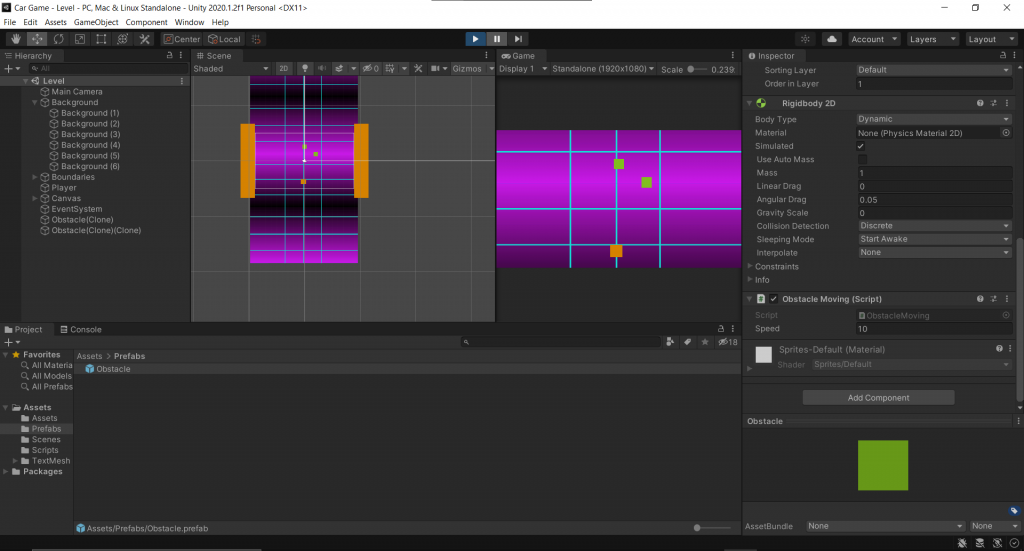
This script allows the obstacle to move down the screen then be destroyed once off screen. The script causes the obstacle to move at a speed of 10 down the Y axis and then, once of screen, it will be destroyed.
This script allows the obstacles to respawn at a given interval. It will respawn the obstacle at a random point on the X axis at point 6 on the Y axis.
[27/02/21]
Today I added solved the problem of two obstacles spawning, object collision and game over.
I found that the problem causing two obstacles to spawn at once, I had scripted it to.
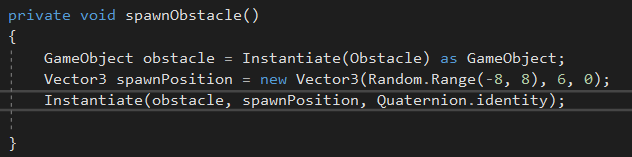
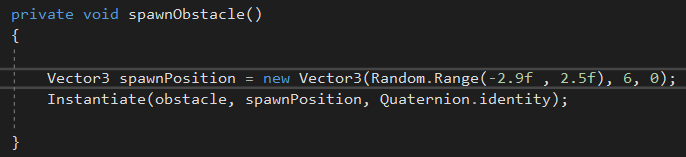
I removed the line causing a second enemy to spawn.
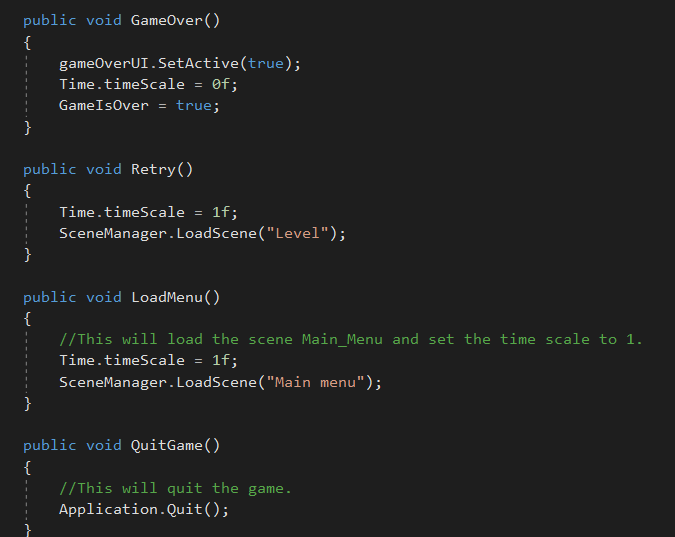
I created the game over script. It’s an edited version of the pause menu script.
I added a collision trigger to the player script so that when the player collides with an obstacle they are destroyed and trigger game over.
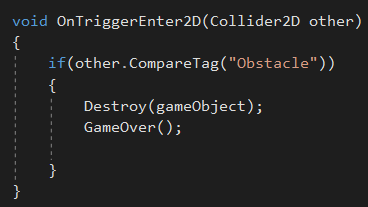
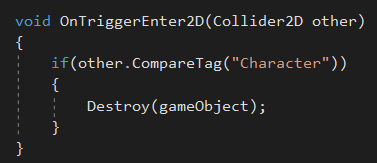
I added destroy game object to the obstacle so when the player hits it, both the player and obstacle are destroyed.
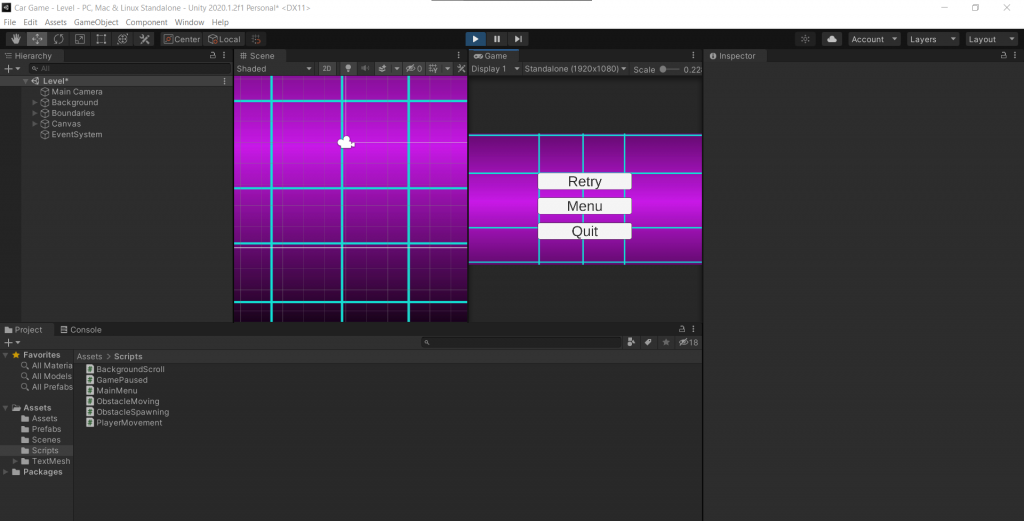
An example of the game ending.
[01/03/21]
I added point accumulation, point display and player movement boundaries. Once I added these features, the scripting for the prototype was finished.
I added a new line to Update in the player movement script. This line uses Clamp to restrict player movement between two given points on the screen.

This script both causes the accumulation and display of points. It causes the build up of points by adding one every second. It displays the text with the amount of points added to the end of Score:. I had to use TextMeshProUGUI as I used TextMeshPro for the score counter text.
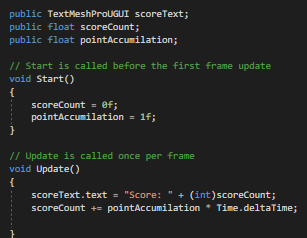
This screenshot shows the points have gone up as the game was played.
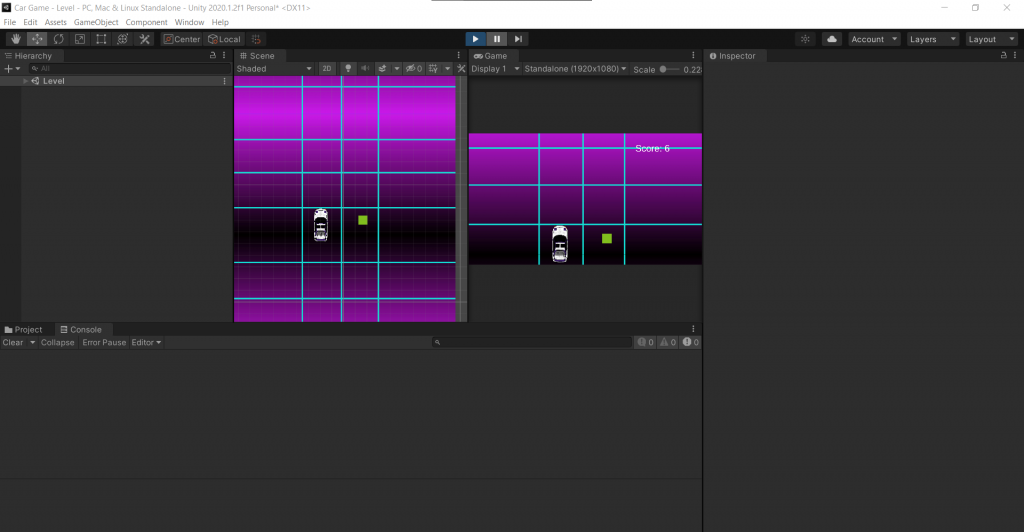
I have created a game over scene as when the game ended, escape could be clicked to resume the game and continue building points. The script for the game over menu is exactly the same as the pause menu bar the retry button being new. This button loads the level one scene.
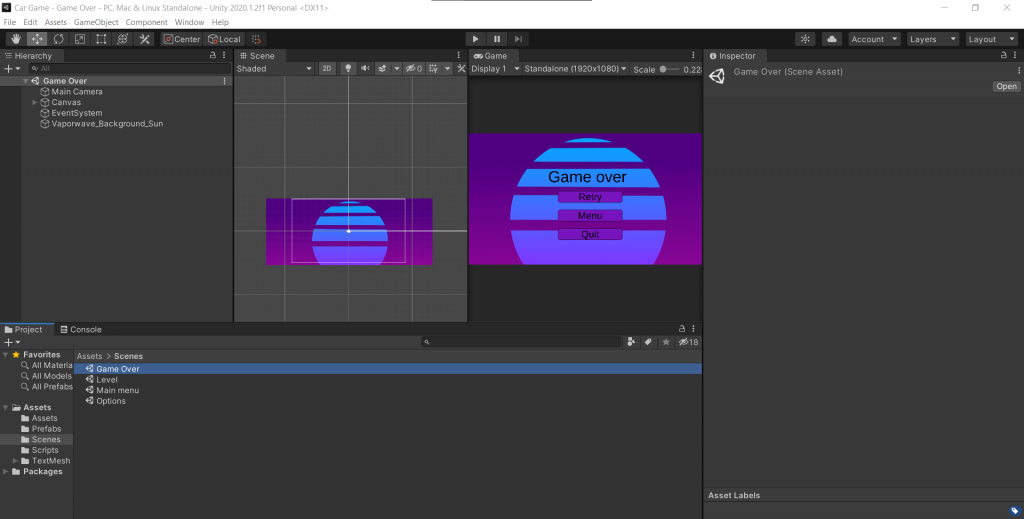
I have also changed the color of the buttons to better fit the background of the game.
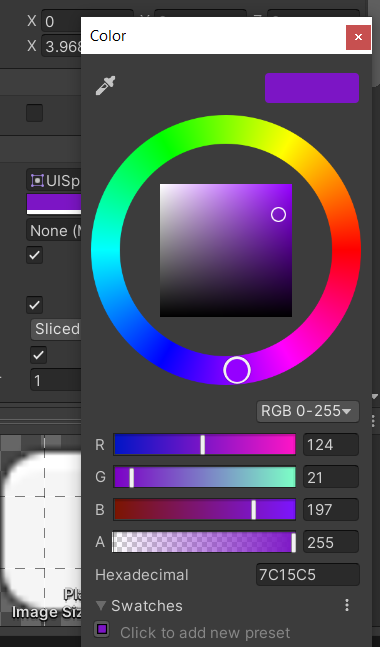
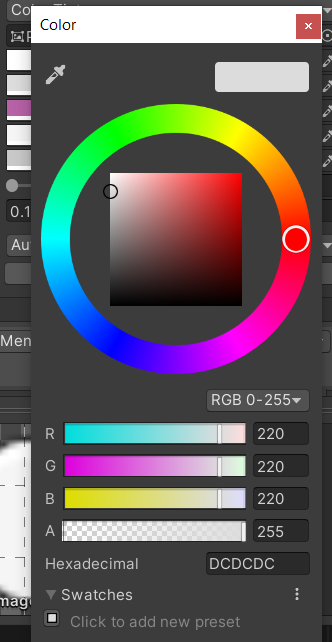
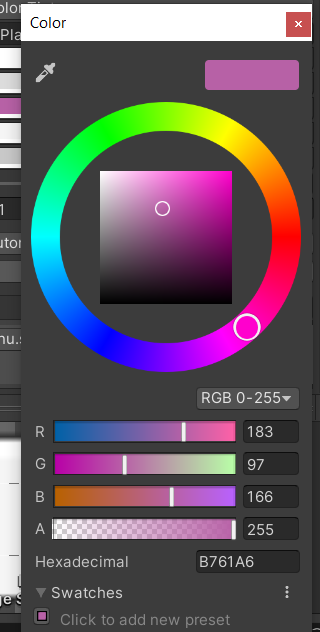
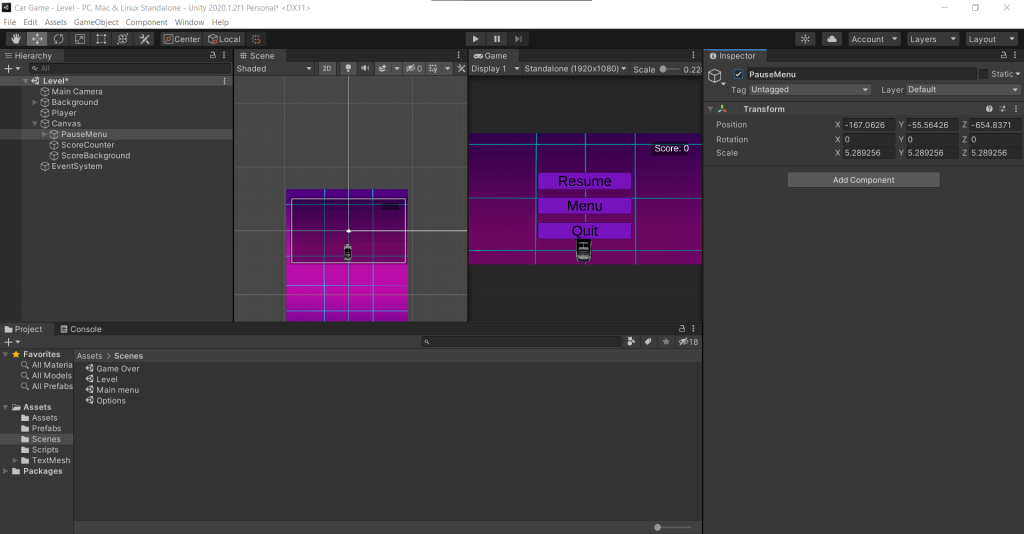
To finalize the prototype, I added the asset for obstacles then uploaded it to Itch.io.
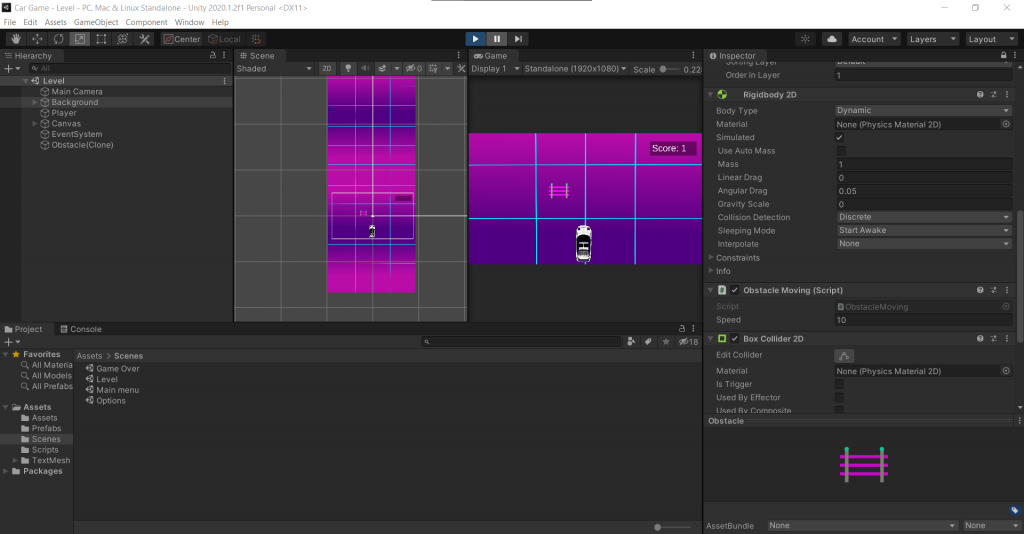
The link for the prototype: https://dhigginson02.itch.io/car-game-prototype
[04/03/21]
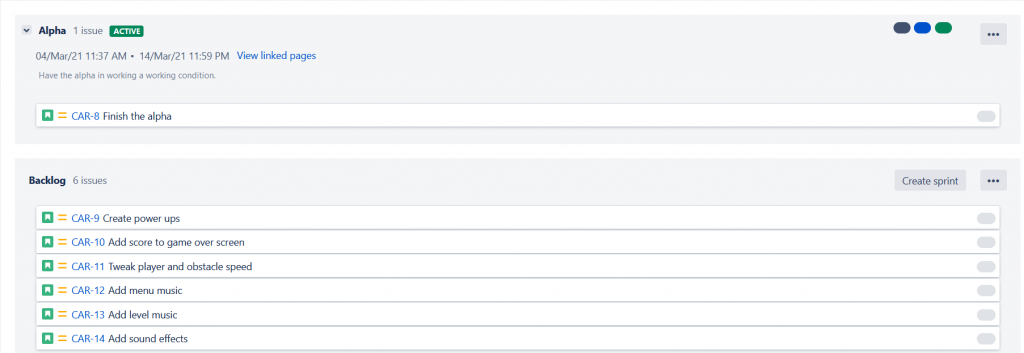
I have updated the Jira board with tasks I need to complete. The tasks of my team members haven’t been added as, although I have prompted them to do so multiple times, they haven’t joined Jira.
[09/03/21]
I have reworked the game over system. I changed it so that, instead of moving to a different scene, a new UI is overlaid onto the scene.
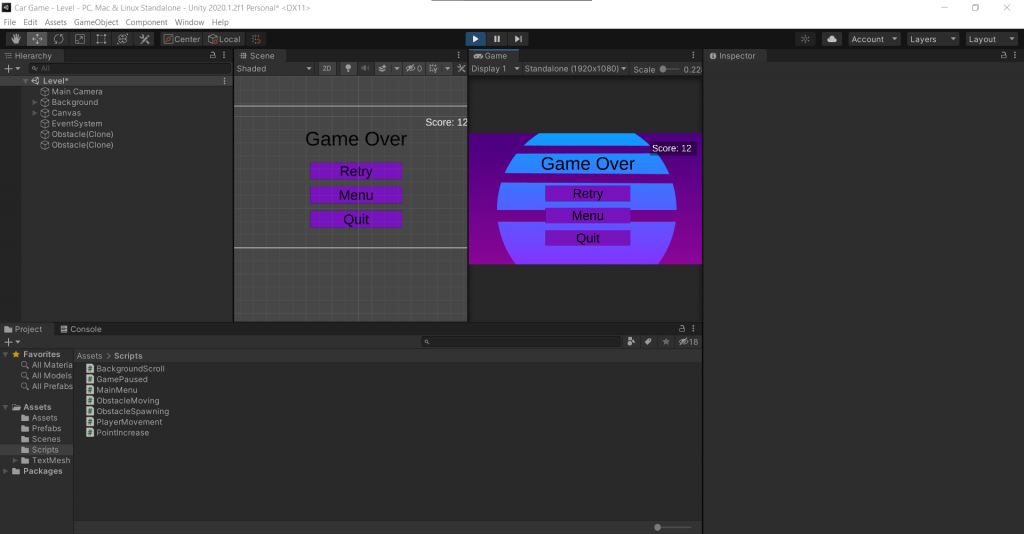
The script is set to initially set the game over UI as false so that it won’t appear when the level is loaded. When the car collides with an obstacle, the UI is set to true and the time scale is set to 0 so that the point count doesn’t keep going up.
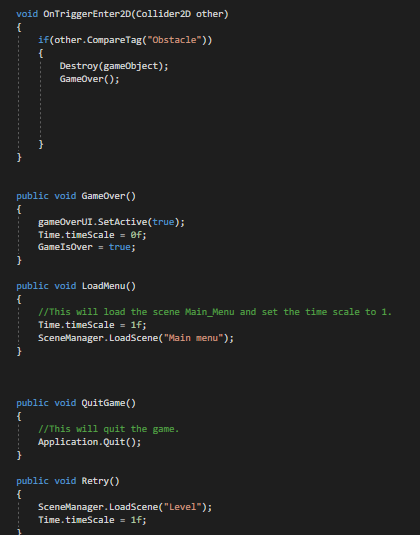
I have also made a win UI for the level so that the player can win instead of infinitely moving through the level.
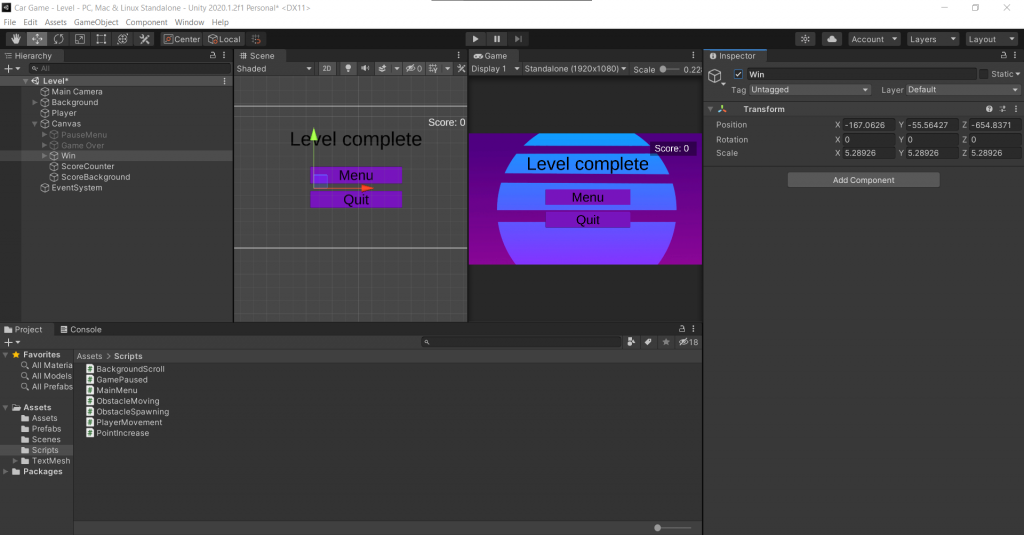
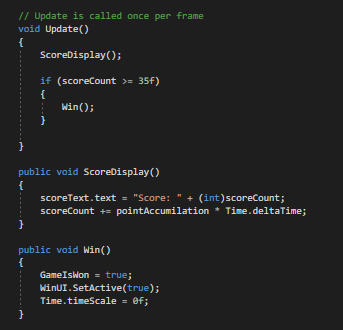
The script for winning is similar to that of pausing and losing. The UI is initially set to false so that it doesn’t appear on loading the level. It will appear once the player has reached 35 points.
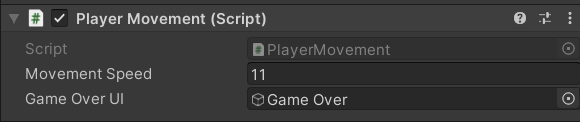
I have also changed the speed values for the player and the speed value for the obstacles so that the level isn’t as hard as it was before.

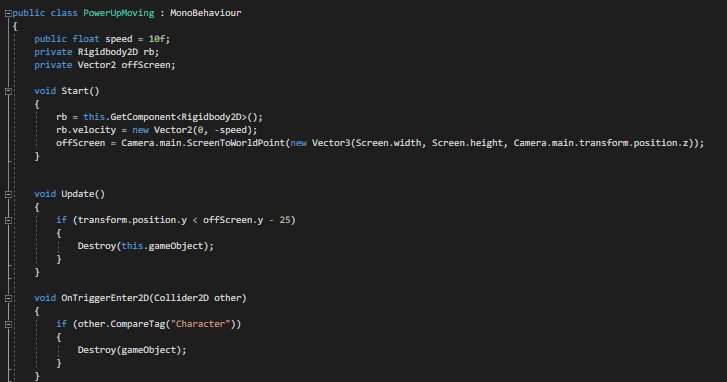
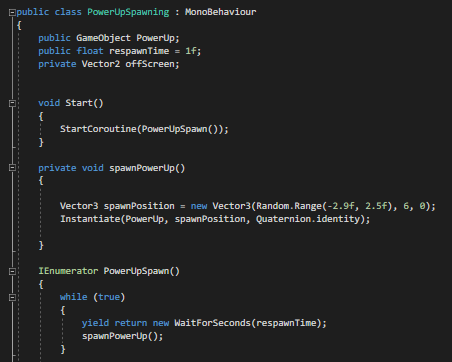
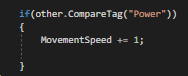
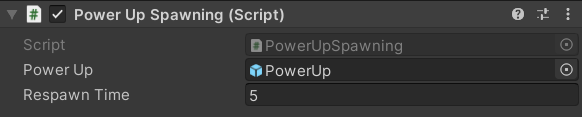
I have added a power up to the game. This power up increases the speed of the player by one. I used the same script written for obstacle spawning and moving for the spawning and movement of the power ups, though I have edited the values so that they move and spawn at different speeds. The power up is destroyed when it collides with the player and increases the movement speed by 1.

[16/03/21]
As a group, we decided that the name for the game is going to be Neon Streets.
With Thursday being the deadline for the beta version of the game, I am now moving to add all the final features to the game. I am creating the second and third levels to the game, adding the created art to them and adding sound to the game.
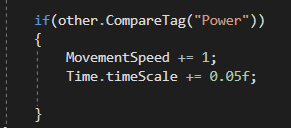
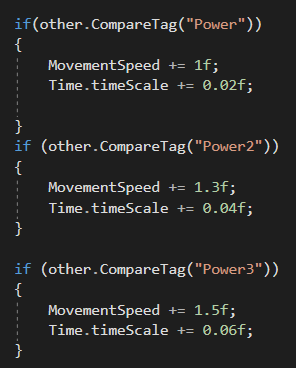
I have altered the effect of the power ups. When the player collides with them, the time scale is now increased slightly. When playing, I found that increasing player movement speed hardly benefit the player. I tried experimenting with various effects and found that the power ups often became more of an easy win than an assist. To scale down the over powered nature of the power ups, I have made them increase the speed of the player and the obstacles as well. Each power up collected will slightly increase the time scale, therefore increasing the speed of the obstacles as well.
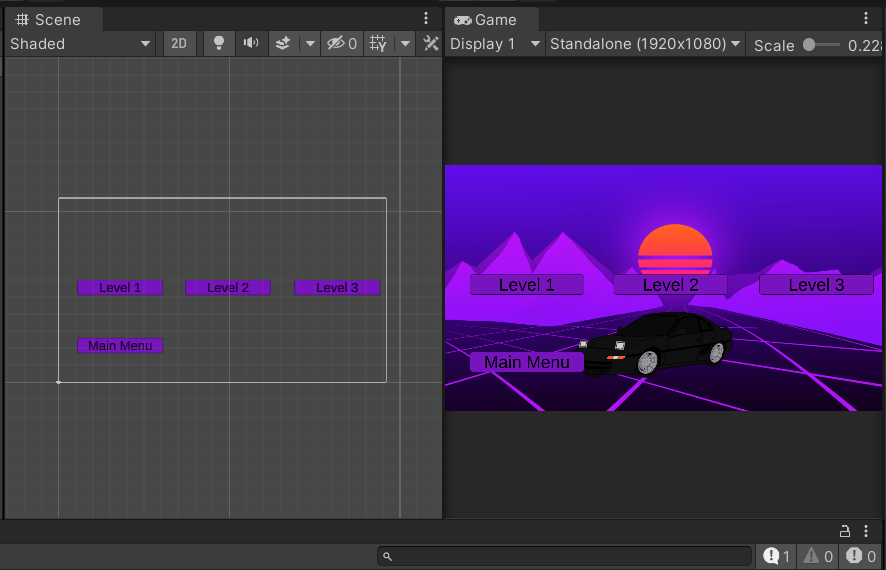
I’ve created and added the two other levels as well as a level selection screen.
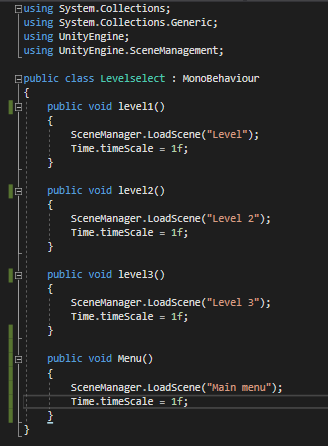
I used the same scene management I used for other menu buttons to make the buttons on the level selections menu take the player to each individual level.
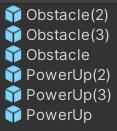
I have also created individual prefabs for the obstacles and upgrades due to needing to tweak individual values for each so that each level can be tuned differently.
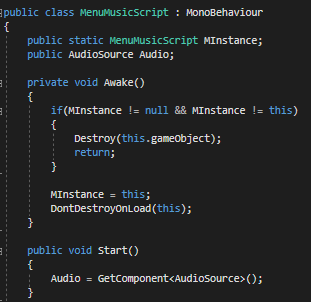
I have added background music to the main menu.
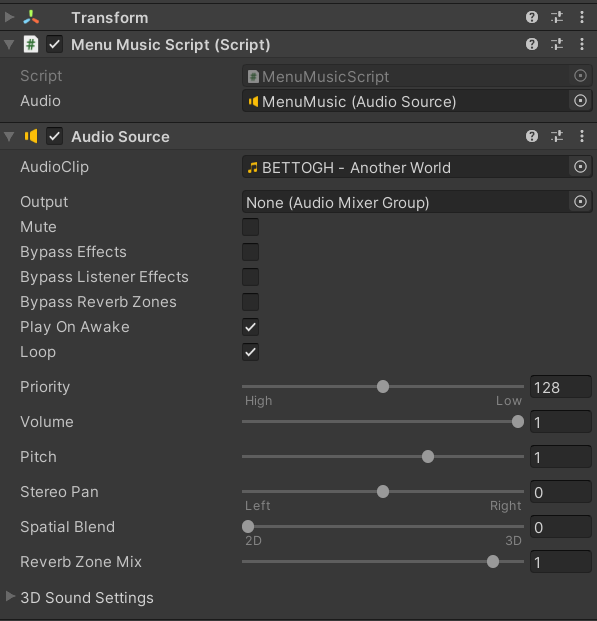
The audio has been set to loop so that it will replay infinitely after finishing.
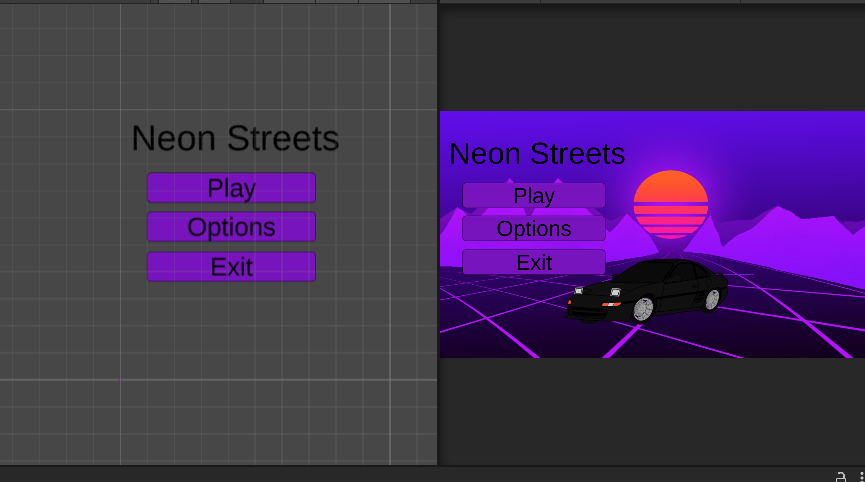
I have added the options menu back into the game after initially disabling it due to a lack of options.
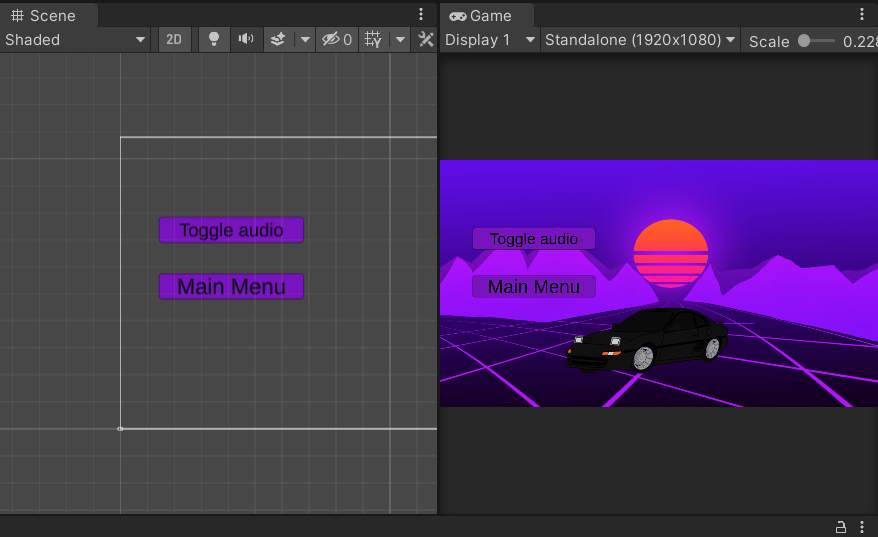
I added a toggle audio button so that the player can mute the menu music if they don’t want it playing.
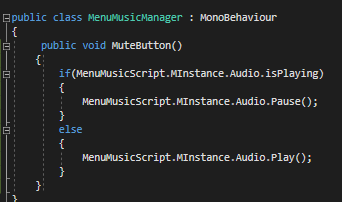
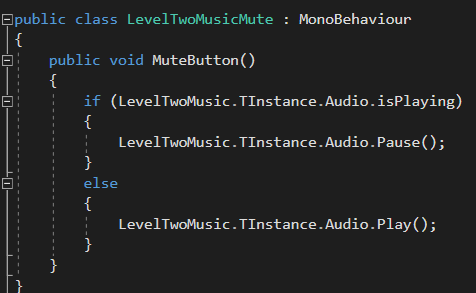
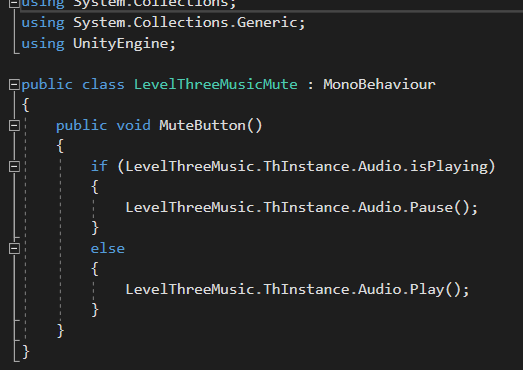
This script controls the mute button. It states that if the music is playing and the button is clicked, it will pause it. If it isn’t playing when it is clicked, it will start playing it again.
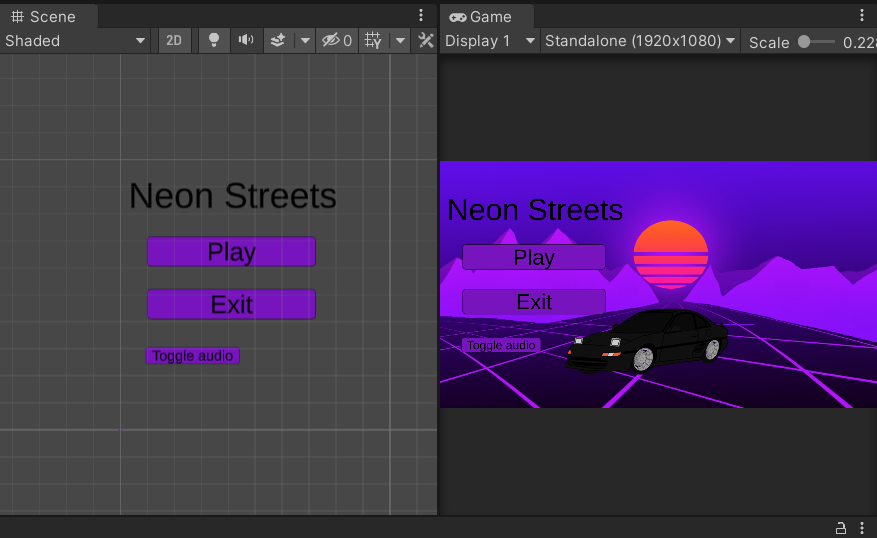
I removed the options menu and added the toggle audio button to the main menu. Having the options menu would have been a hassle for the player due to it only containing one options that is much easier to access on the main menu itself.
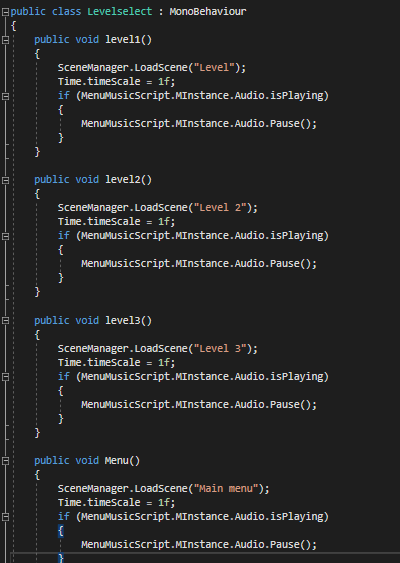
I have also edited the level selection script so that it pauses the main menu music when a level is chosen the music is muted. I have also made it so when the player returns to the main menu, the music is unmuted.
Also, I have added the background music for all three levels. This music is specific to the level and can be muted through the pause menu. The scripts used are adaptations of the main menu music and main menu music manager scripts.
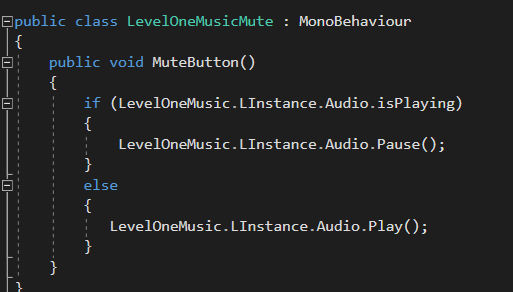
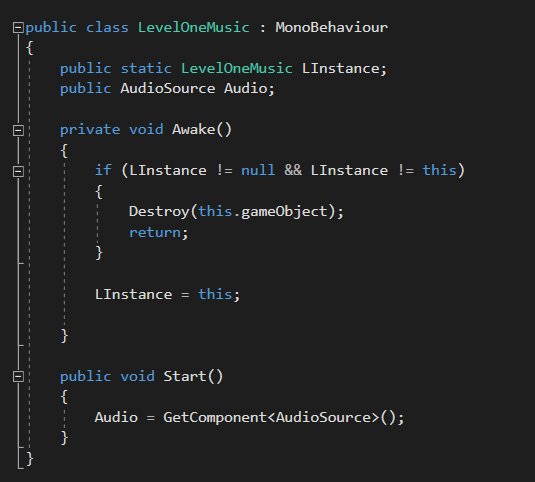
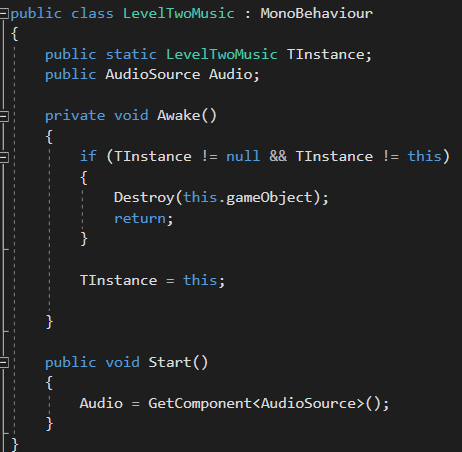
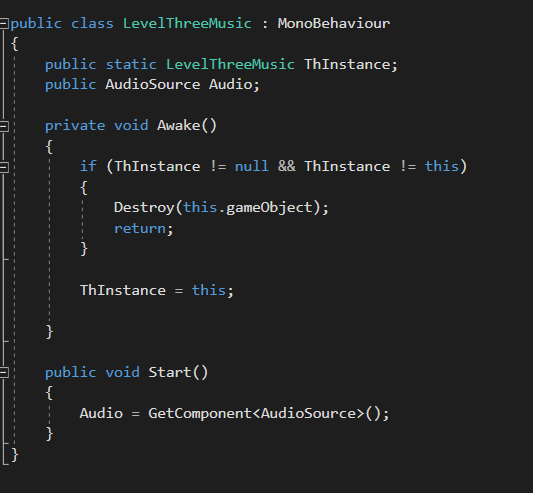
I have removed the DontDestroyOnLoad(This) line so that the music stays within the level and doesn’t continue playing when the player returns to the main menu.
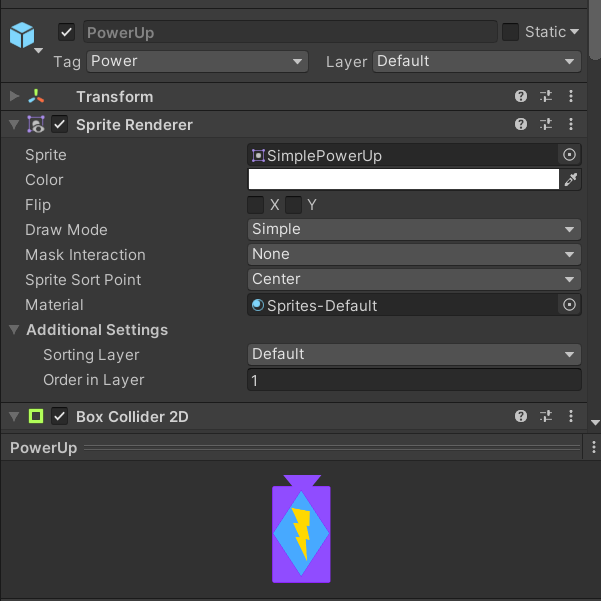
I have added the power up art.
[17/03/21]
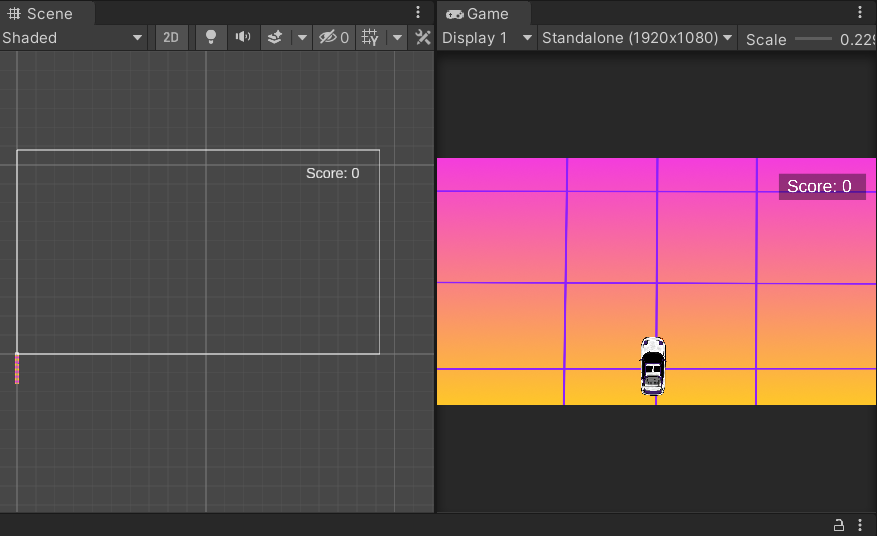
I have added the assets for the second level.
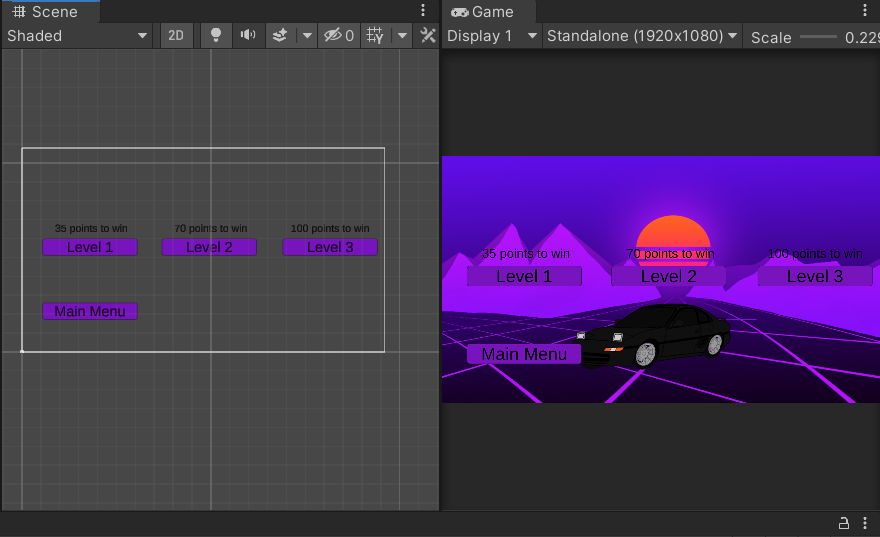
I have also added text above the level selection button so that the player can see how many points are required to complete the level.
Also, I have added a click sound to the menu buttons.
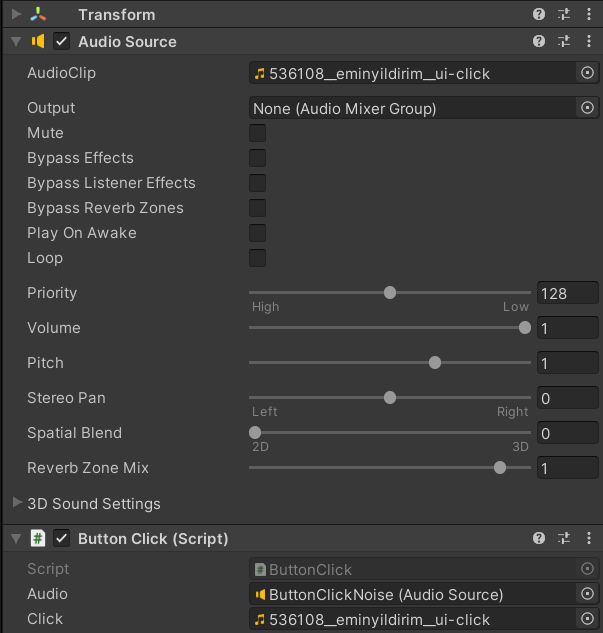

To make the button play the click sound when it is clicked, I have added this line of code to the functions used for button clicks.
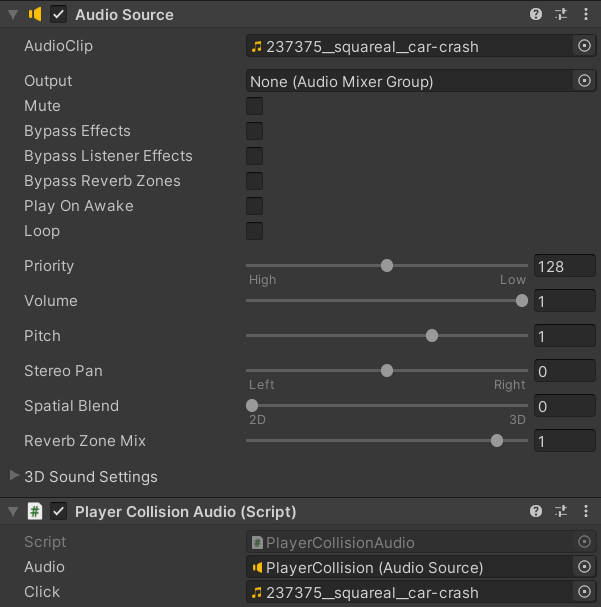

I have also added a car crashing noise for when the player collides with obstacles. I have added a single line to the function that causes game over when the player collides with an obstacle so that the noise will play.
For both the button click and player collision noises, I have turned off play on awake so that they will not play when the game is launched.
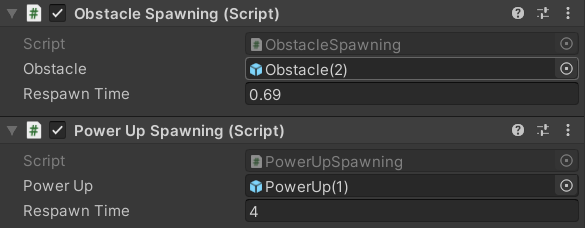
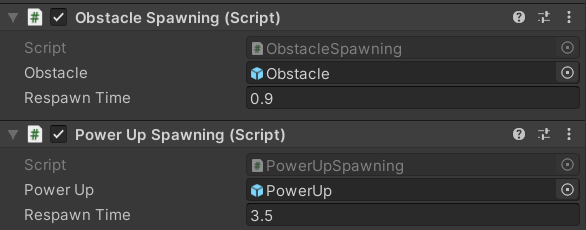
I have changed the values for power up on the second and third levels so they scale to the difficulty of the levels.
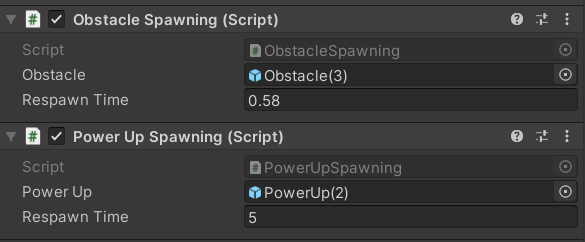
I have also changed the values for the respawn time of the obstacles and the respawn time for the power ups so that they are more difficult than the last.
[18/03/21]
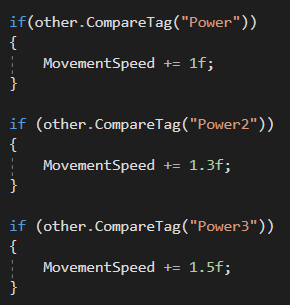
I have altered the first power up so that it doesn’t increase the movement speed of obstacles anymore. After receiving feedback on the game, it was blatantly clear that increasing the speed of obstacles with power ups would make the player more likely to avoid them than pick them up.
[21/04/21]
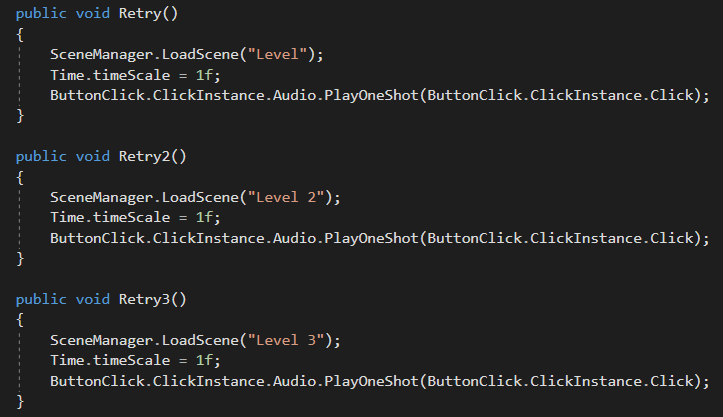
I have corrected an error with the retry button on the game over UI for each level. Prior to the fix, the retry button would send the player to the first level. I have correct this by adding two new retry functions for the two other levels.
I have also added a slight bloom effect to each level through the use of post processing. I have added this due to it fitting with the outrun theme of the game.
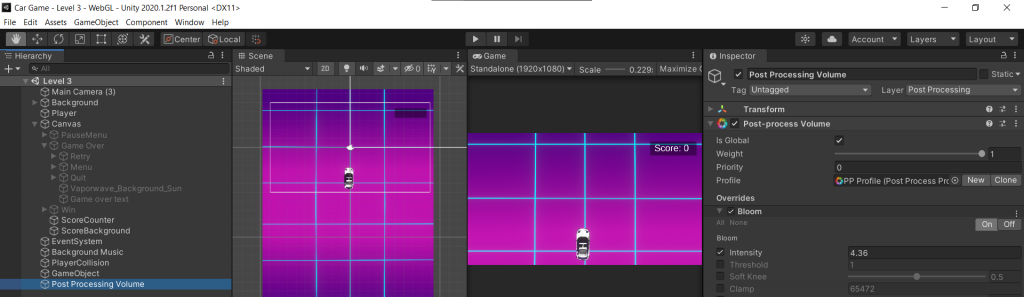
Though the bloom is subtle, it adds to the aesthetic of the game.
I have also altered the bloom level for level 2. Due to the background being yellow, the bloom was a hindrance on the player due to it being harsh on the eye.
Itch.io game link: https://dhigginson02.itch.io/neon-streets
0 Comments