This week I learnt how to use blueprint in Unreal by following a PowerPoint provided on Canvas.
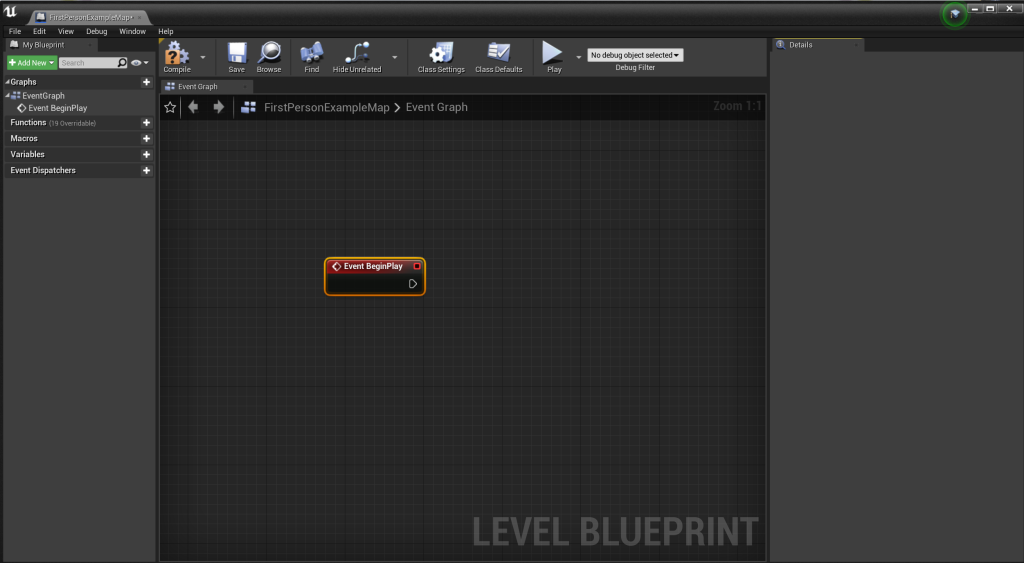
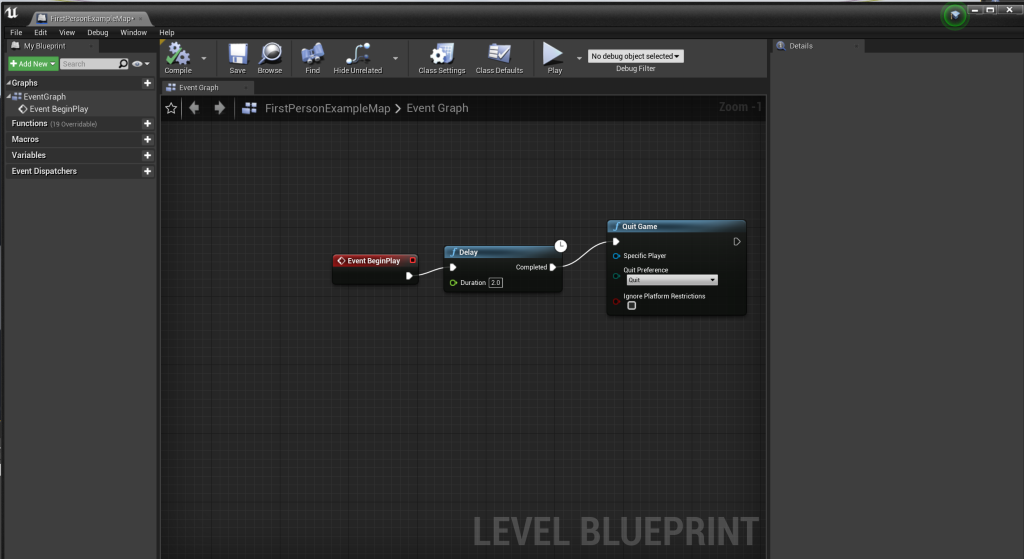
The first thing I created was a quick blueprint that would quit the game shortly after it started. This was created by adding the begin play event node, the delay function and the quit game function. This meant that when I pressed play, there was a short delay and then the game quit.
The next thing I did was add a box trigger and a point light to the level. I then changed the colour of the point light and turned it off.
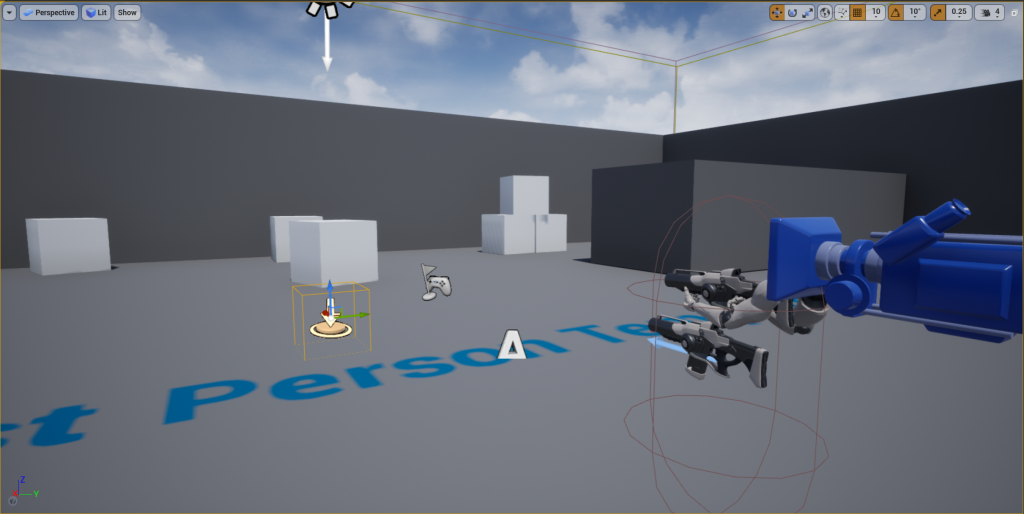
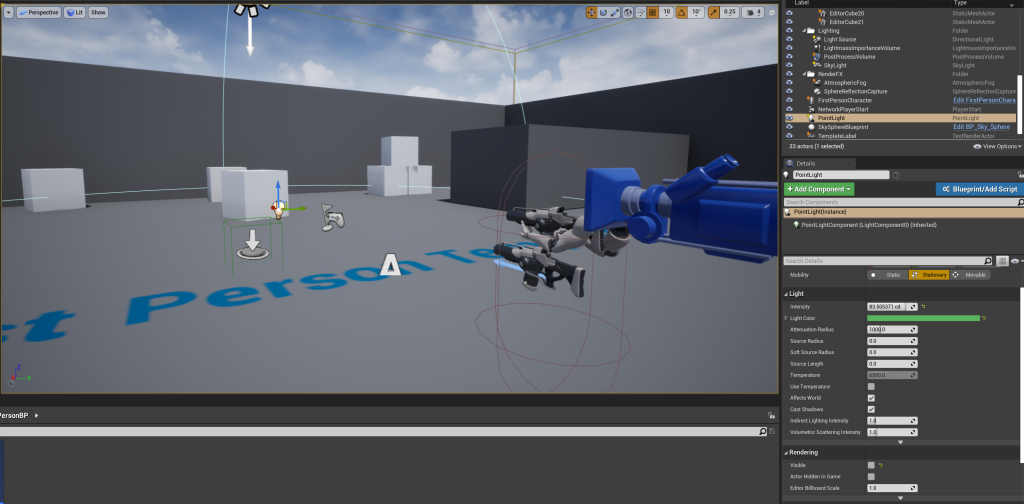
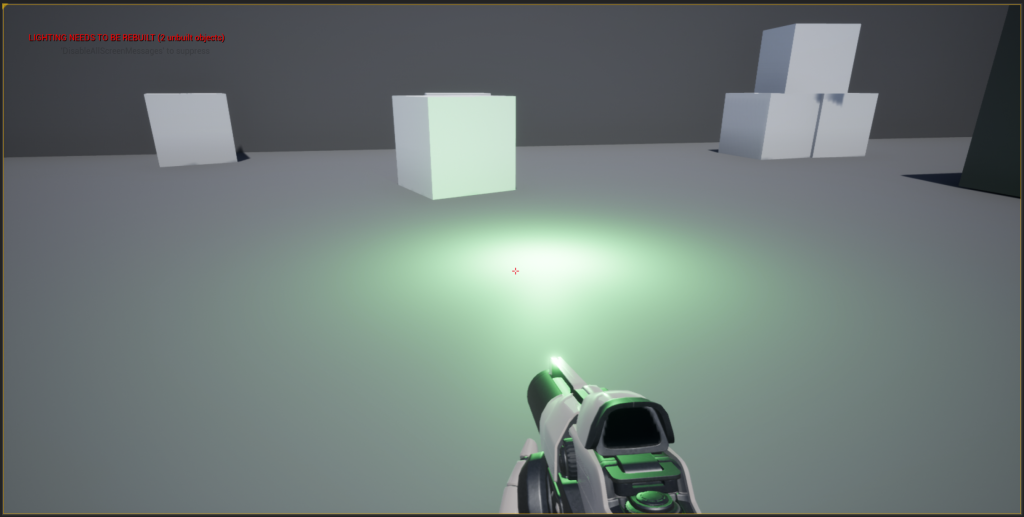
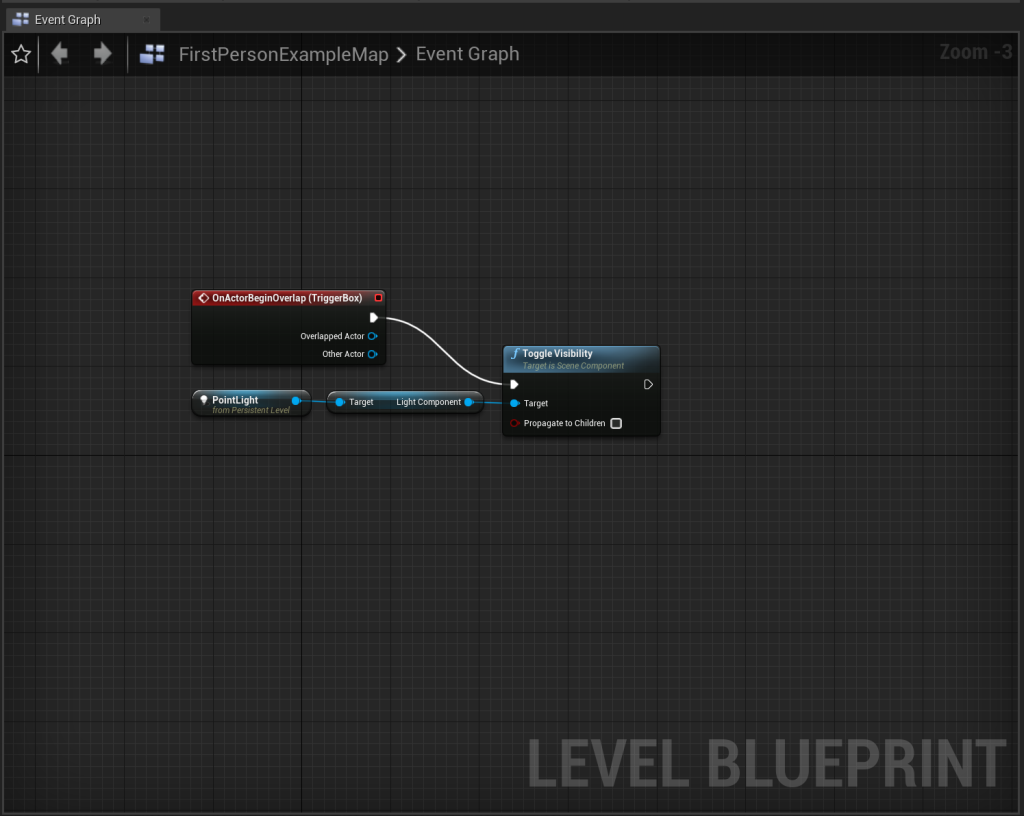
I then went back into the level blueprint, deleted the game quit blueprint, and added an on overlap event node. I also added a reference for the point light and added a toggle visibility function to it. I linked this function to the overlap event node so that when the player walked over the box trigger it would turn the light on.
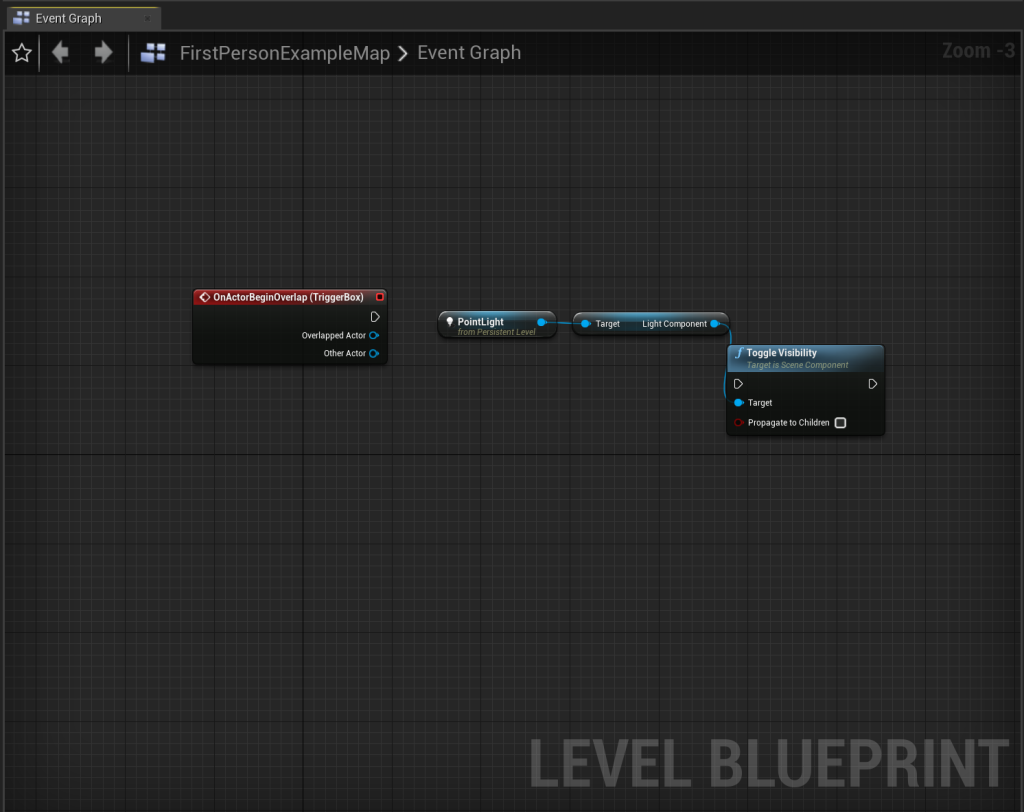
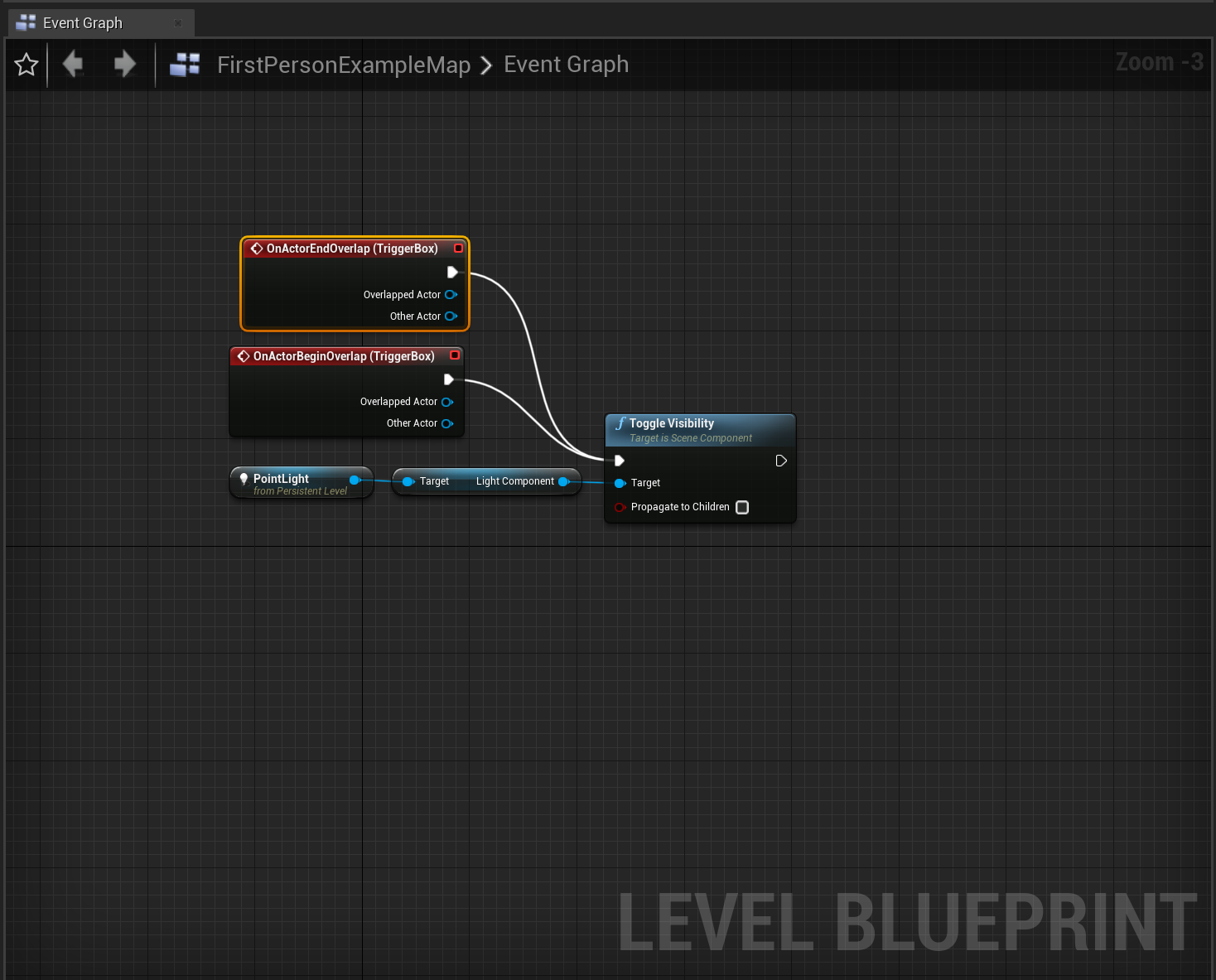
I also added an end overlap event trigger so that when the player left the box trigger, the light would turn off.
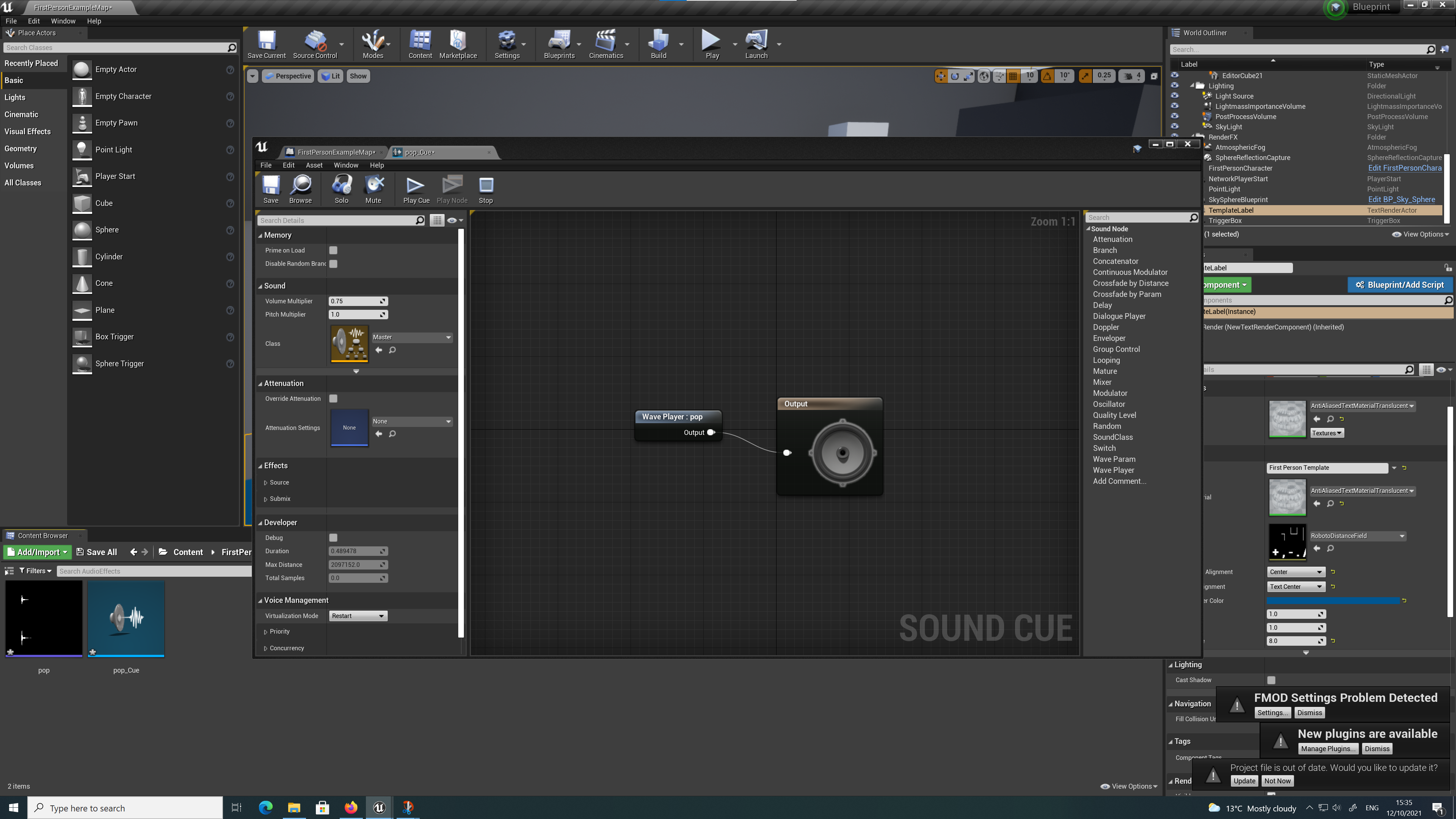
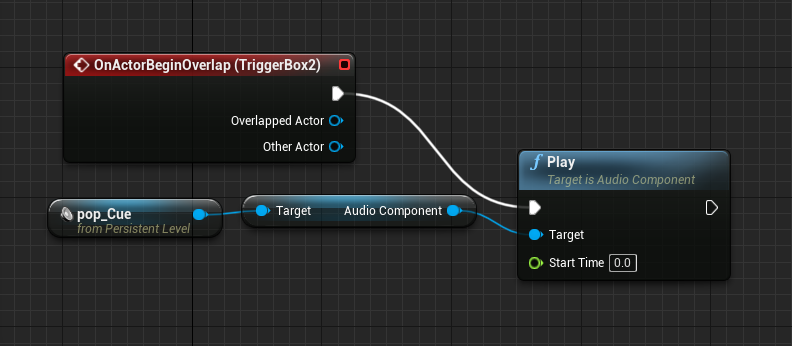
Finally, I imported an audio file and created an audio cue. I added another box trigger and in the level blueprint, added another on overlap event trigger. I then created a reference for the audio cue and added a play function to it. Once I linked this to the overlap event trigger, when the player walked over the box trigger in the level the audio cue would play.