The second theme of Rapid Prototype Design is Paper. The requirement is make an interactive experience that has a digital and a physical element, the physical being on paper.
[01/03/2022]
To start generating ideas for what I might make I wrote down words I thought of when hearing paper. There are far less than the last theme as I couldn’t come up with many.
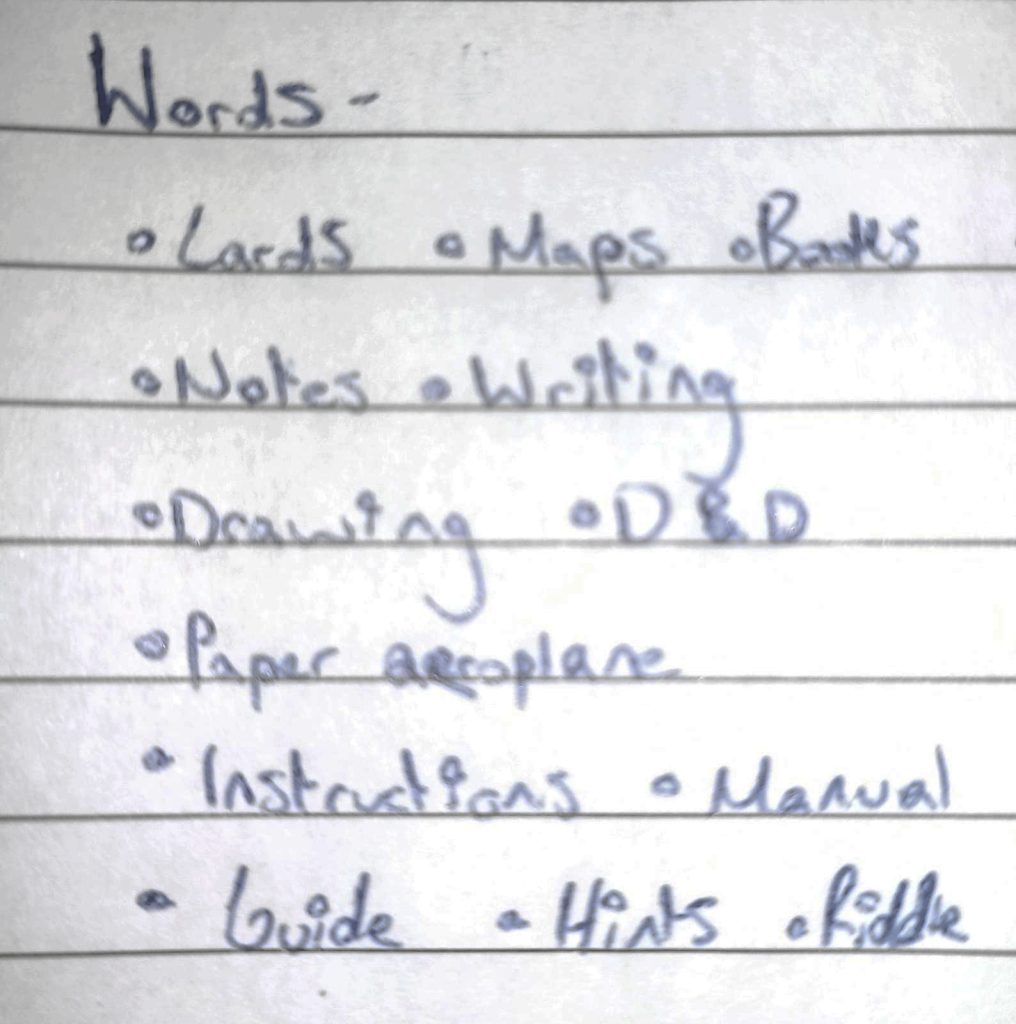
The words that stood out to me were cards and D&D. I made a mood board with related images to spark inspiration.
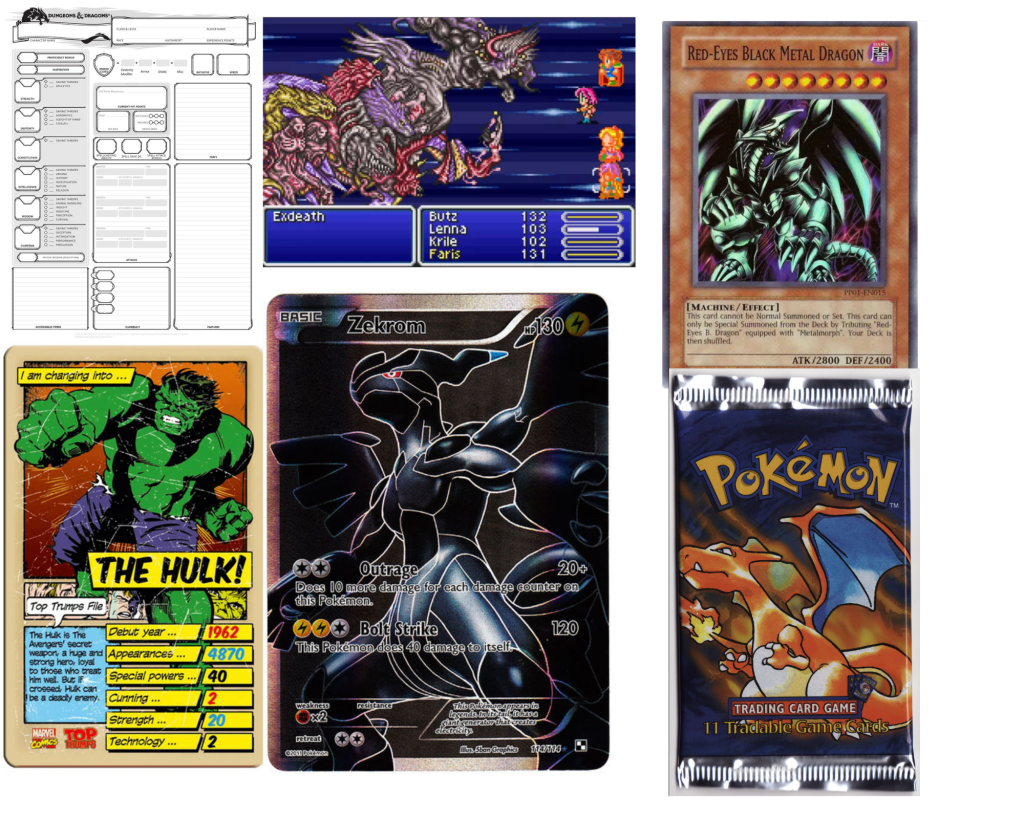
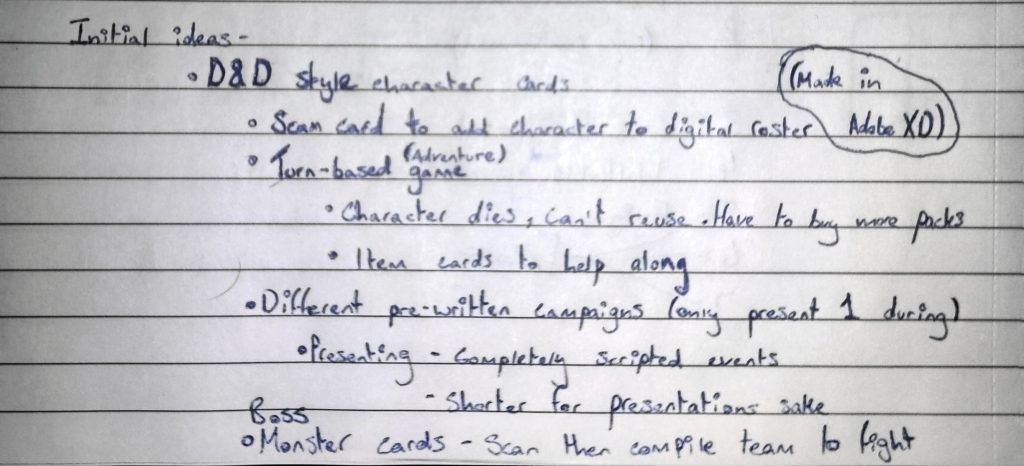
From the mood board I was able to come up with an idea for a game. It will be both a physical trading card game as well as a digital turn based combat game. The player will obtain real card packs, inside will be various cards. On these cards will be code that the player will enter in game to use the character or item that is on the card. Cards will include characters, items and bosses. The characters and items will be of varying rarities, the higher the rarity the more effective the card in the game. Boss cards will allow players to fight bosses for in-game rewards. Outside of fighting bosses in-game, the player will be able to play through campaigns that tell stories while making players fight enemies.
[04/03/2022]
I have started to develop the card based aspect of the prototype.
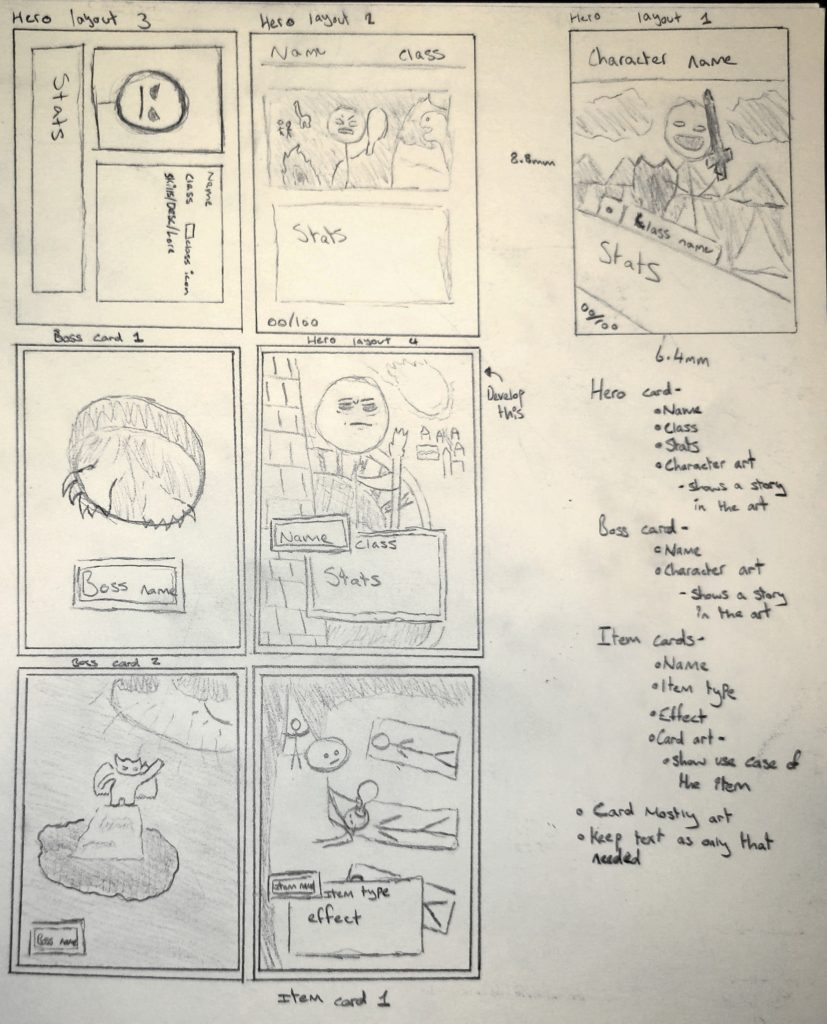
I started the development of the cards with the hero card. I drew various different layouts for the card, writing down the elements that would be on the card as I went. I landed on a layout that featured minimal text, focusing on the card art. I prefer this design to the other as there is more room to tell a story with the art by minimizing the amount of information present on the card to only that necessary.
After I had developed the hero card to a decent level, I moved onto the boss card. This card will features even less text than the hero card meaning there is far more space for the card art. I want bosses to be scary to the player. When they load them into the game they won’t know what they’re about to fight against.
Finally, I moved onto the item card. At this point I had decided I wanted all card art to show various stories revolving around the characters or items shown. The item cards have the same amount of text as the hero. It will describe the effects of the card while stating the name and item type, for example healing or damage. The art of the card will depict the item in use. This will tell a story as well as giving a visual example of what the item actually does.
[6/03/2022]
To progress the design of the prototype, I drew the dimensions of my phone out using a ruler and drew inside concepts of what screens would look like within the game. The screens I have drawn so far are the title screen, main menu, level selection, party selection and boss encounter. I will create a few more to make the navigation make sense for the prototype, rather than jumping through seemingly unconnected sections of the game.
I also tried to come up with a name for the game but have been unsuccessful so far. To create a name, I wrote down various words that related to the game in hopes I would connect them into a name. The names I did come up with using this method were all extremely generic and led me to not using any of them.
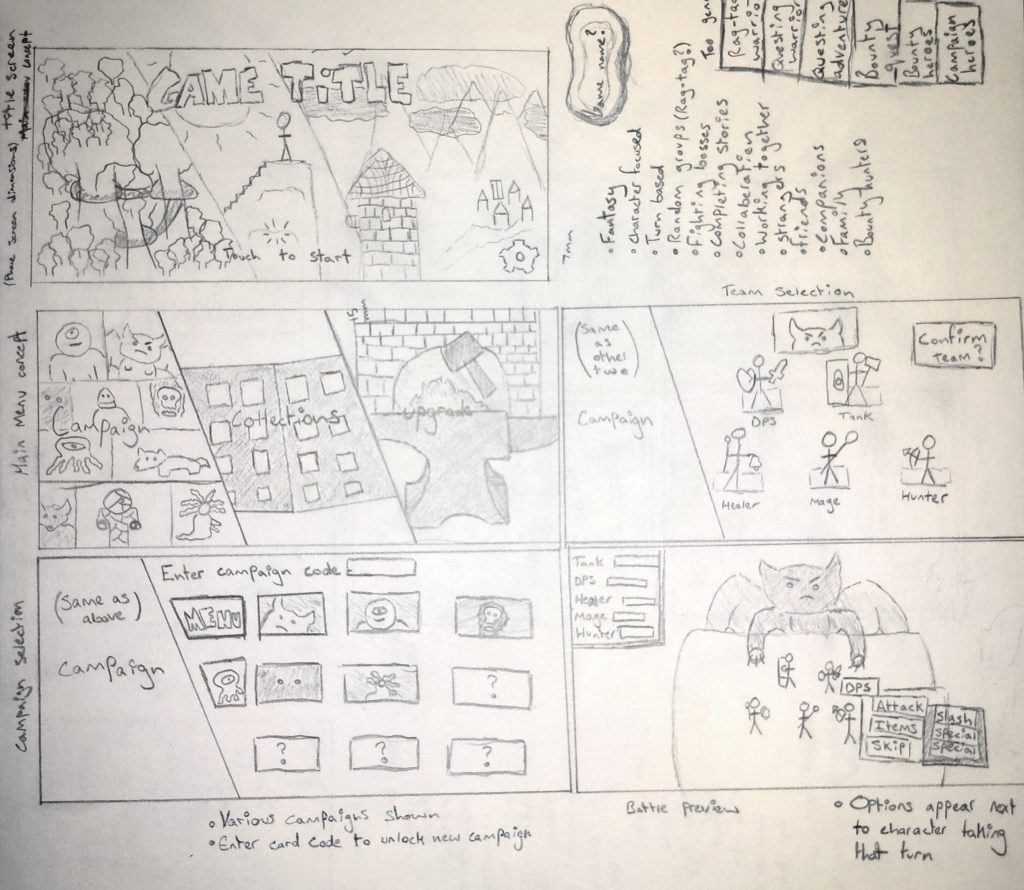
I wanted the UI to be clean so that the player wouldn’t be overwhelmed by numerous elements. This will also make it easier for the player to navigate the game. 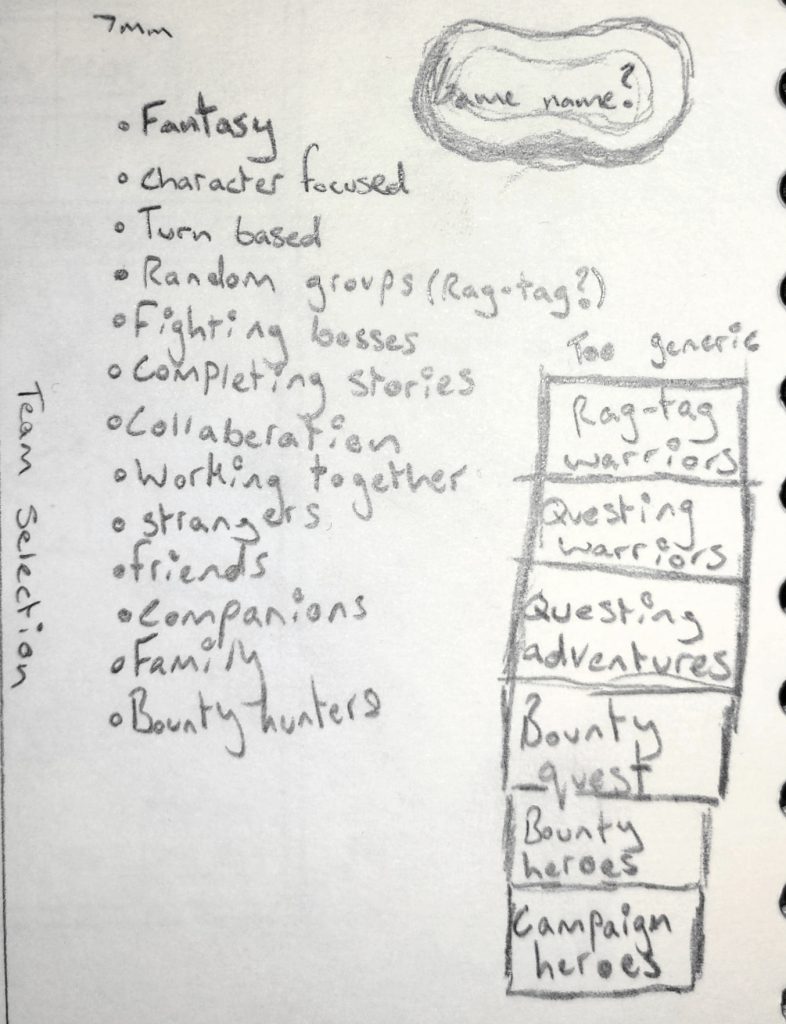
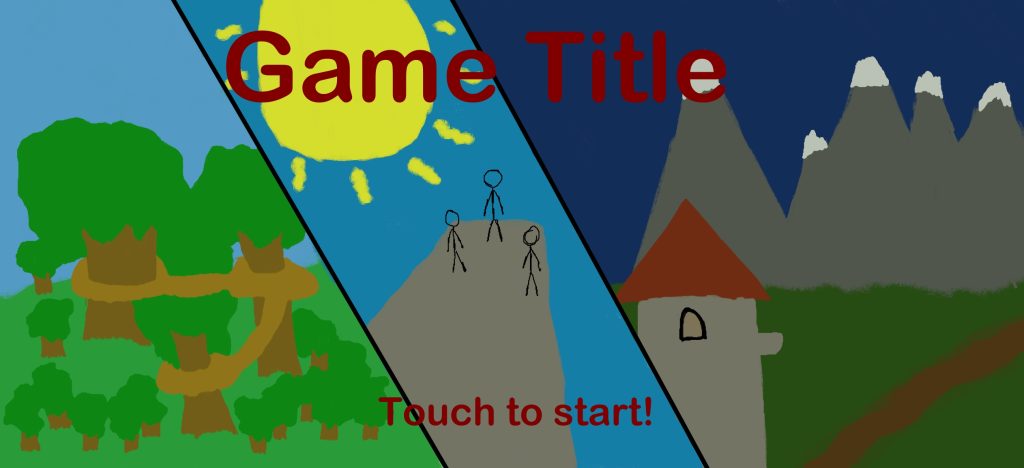
Using Krita, I traced over the title screen drawing I had done and added colour. I quickly realized that it looked awful and decided to stick with line art.
[11/03/2022]
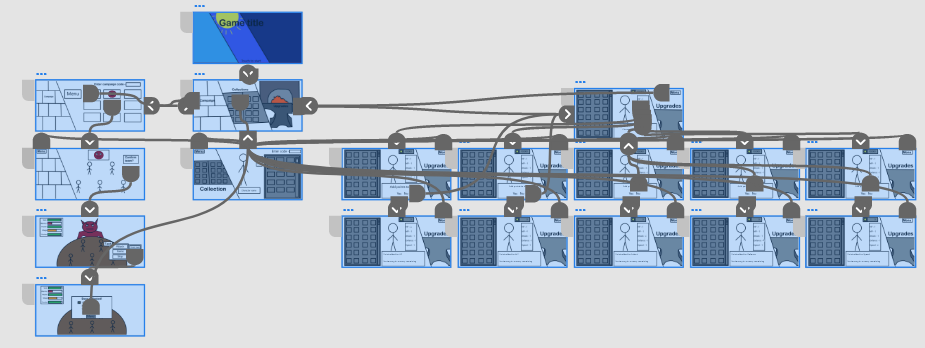
I have created a small flow chart showing the navigation through the prototype menus
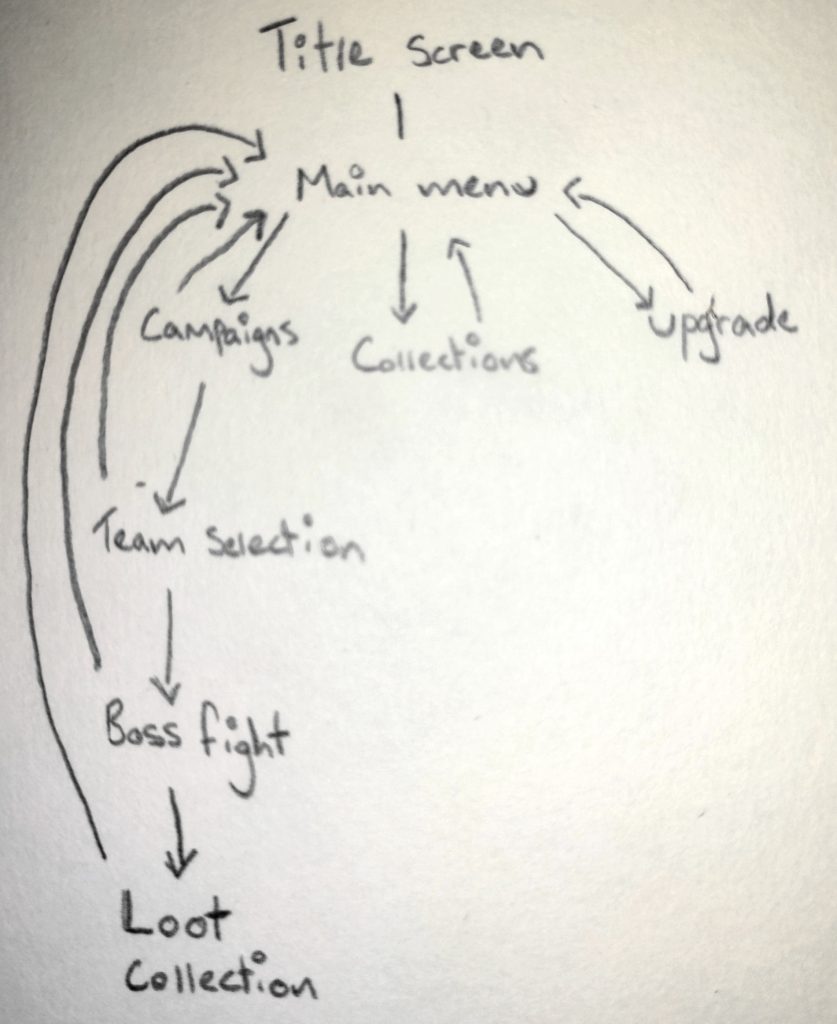
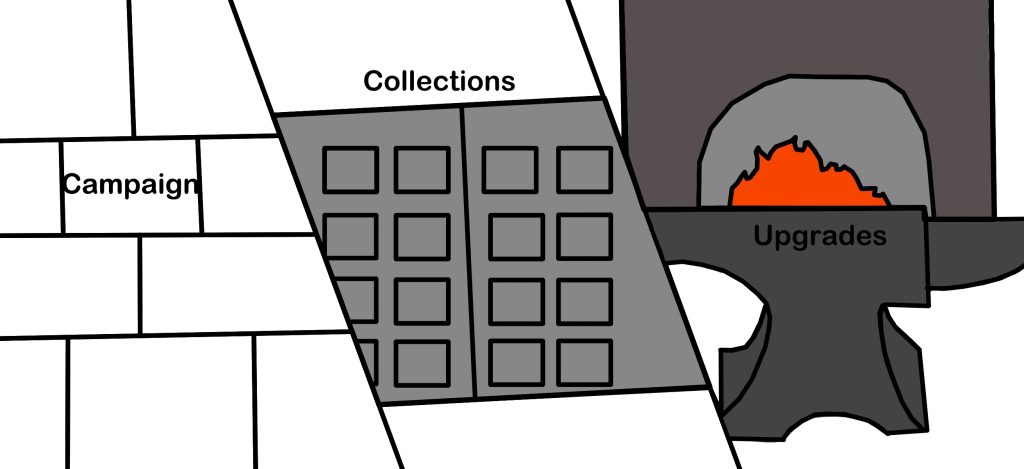
The flow char shows the navigation of the flow chart. The player is able to return to the main menu from any place in the game for quick accessibility.
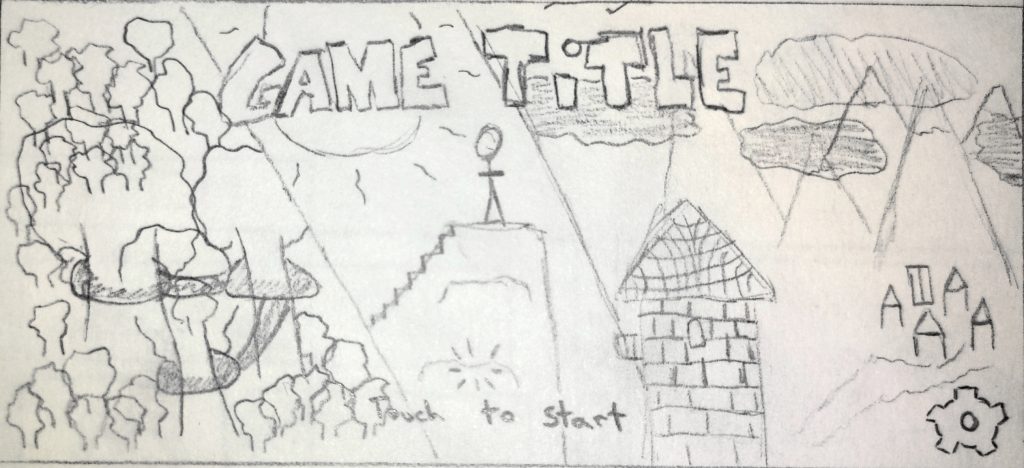
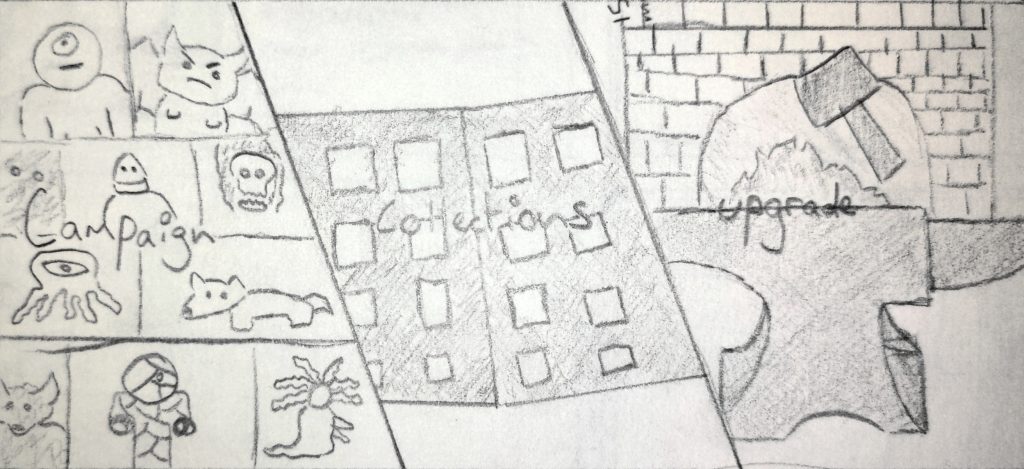
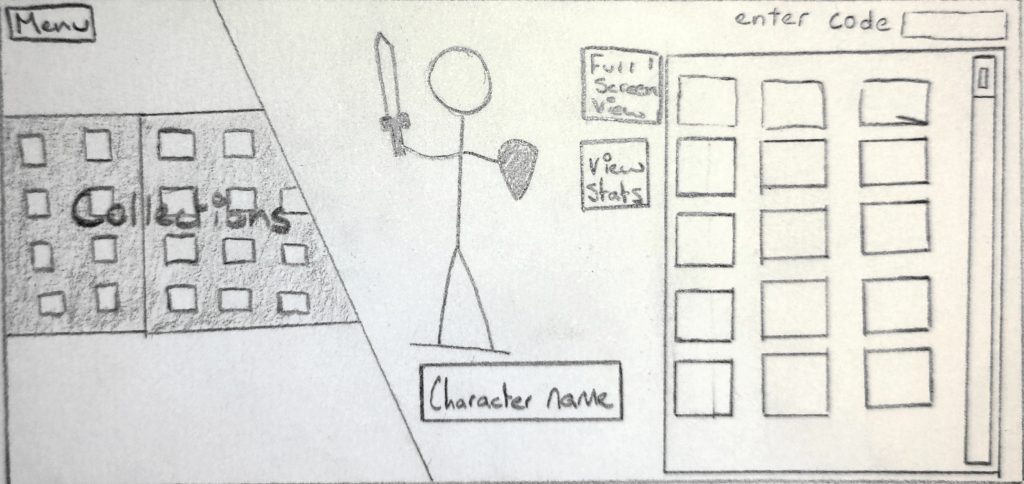
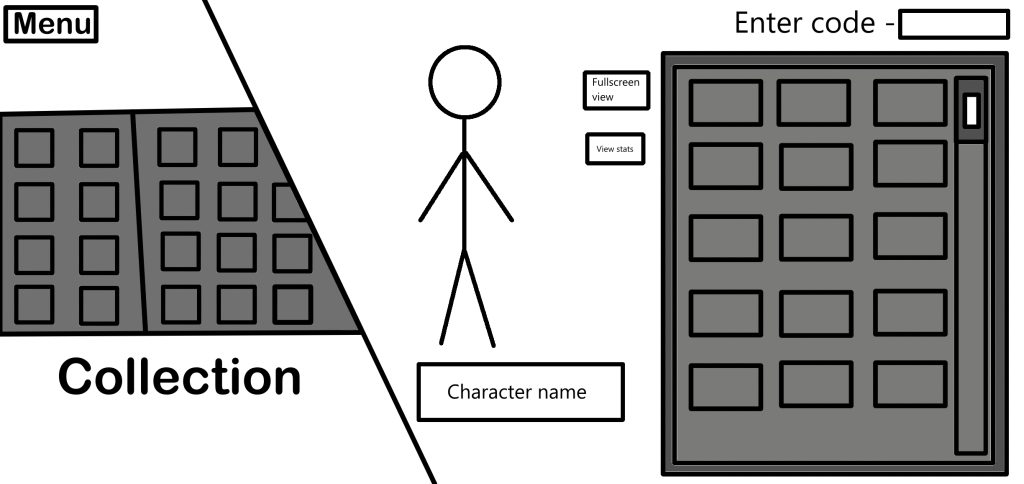
The collections screen allows the player to view their collected characters. They can view the character in full screen and also view the stats of the selected character. They can also enter card codes to unlock new characters. 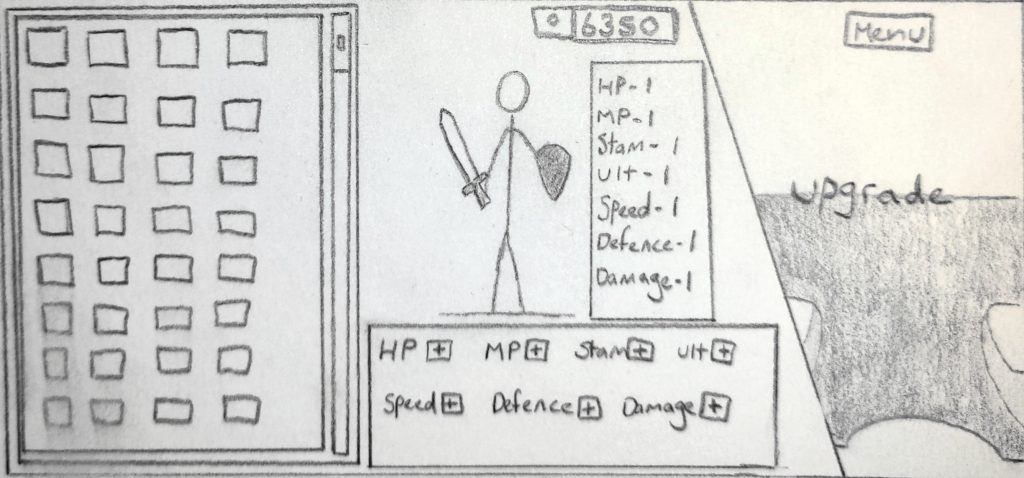
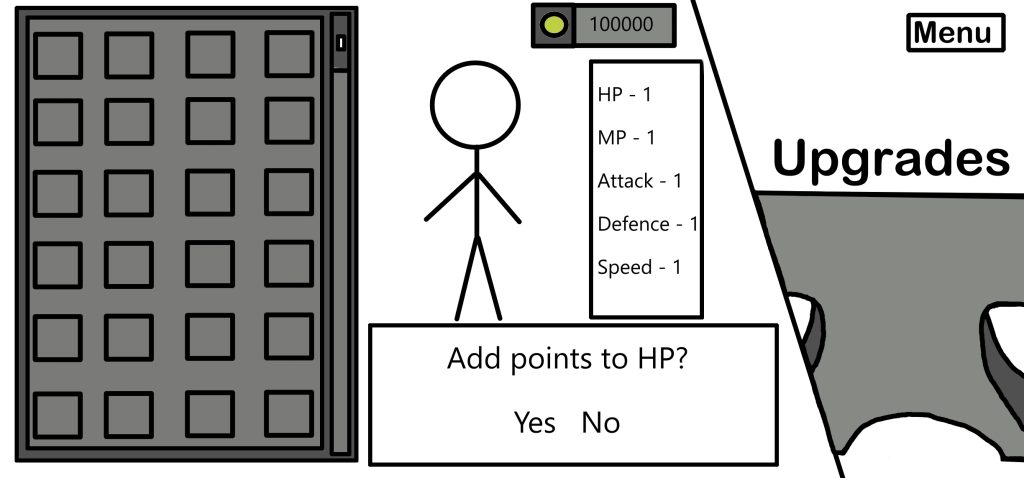
The upgrade screen allows the player to spend earned currency to upgrade the stats of characters.
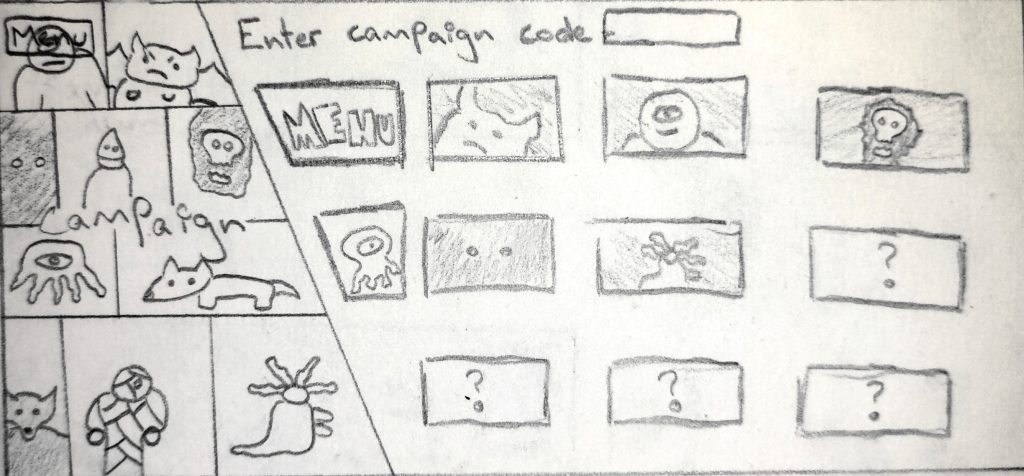
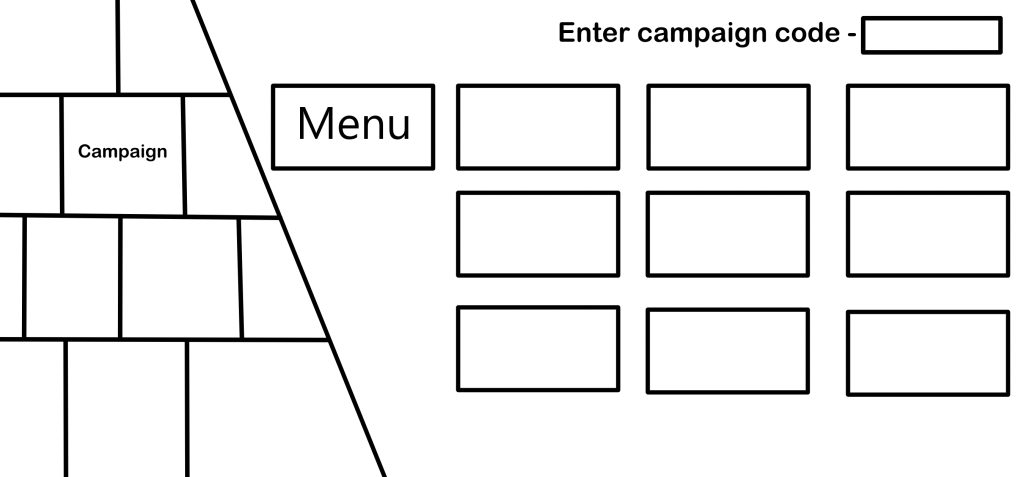
From the campaign screen, players can select various different campaigns. They can also enter card codes to unlock new campaigns. 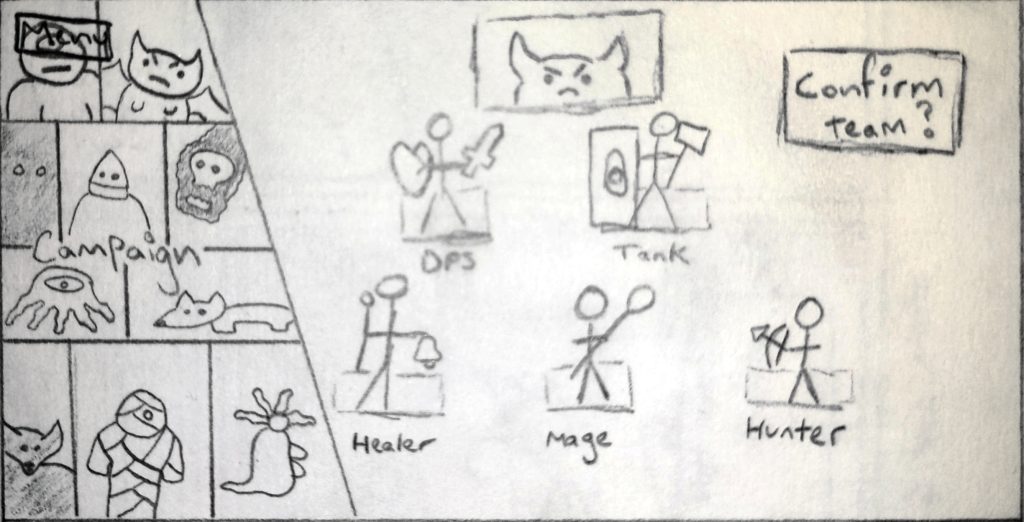
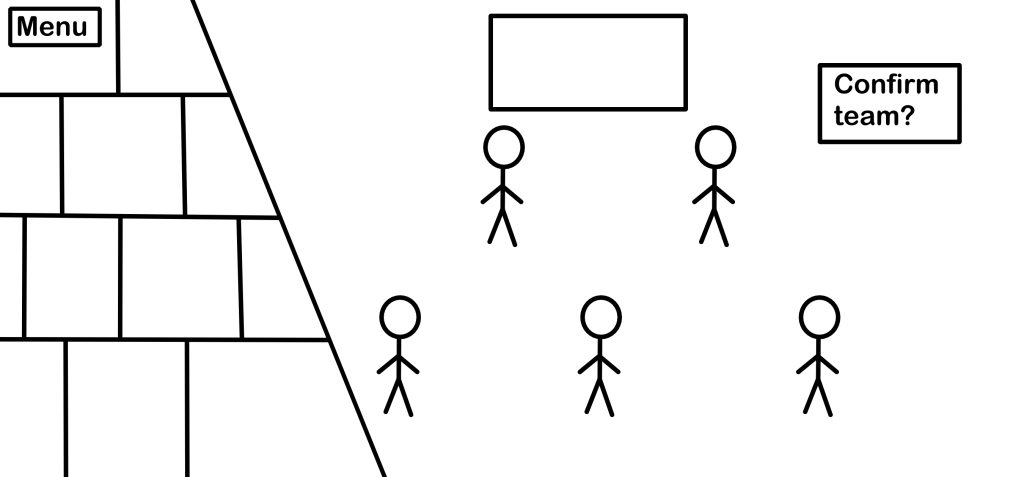
Once a campaign is selected, the player has to choose their team for the campaign. 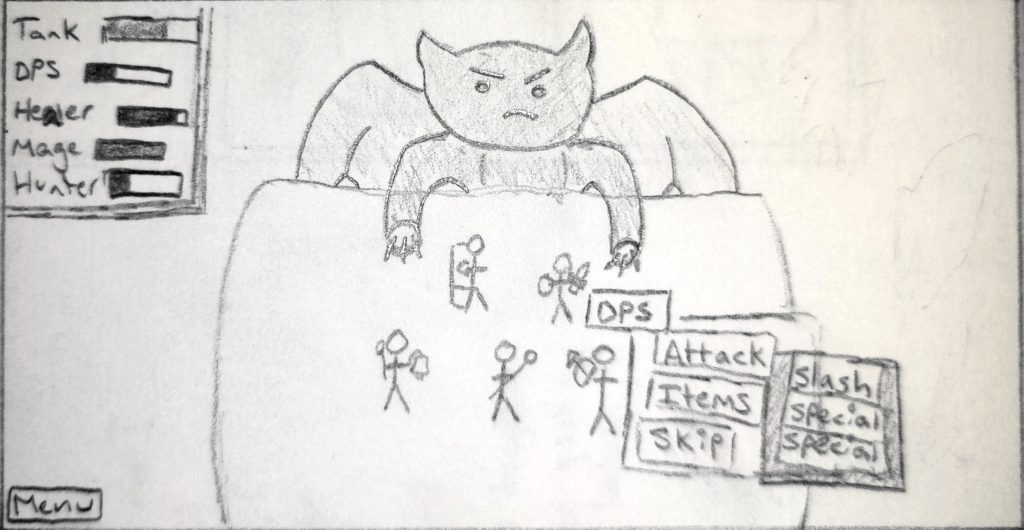
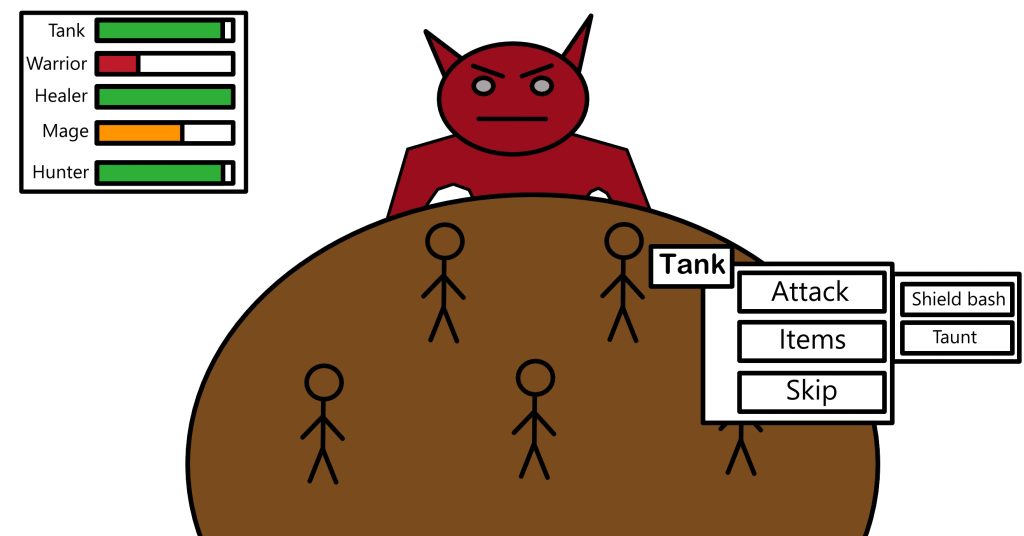
When fighting enemies/bosses, the characters health is shown in the top right. The character actions are shown next to the character currently taking the turn. The player can attack, use items or skip the turn. 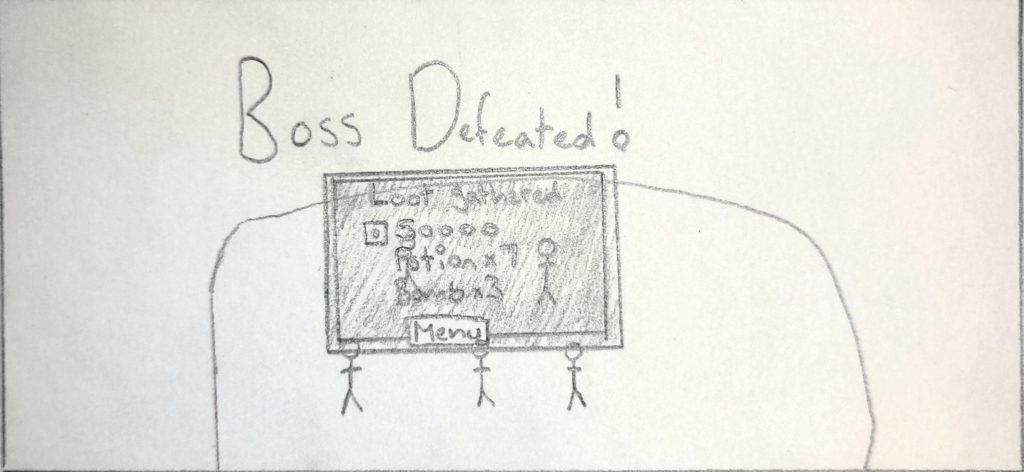
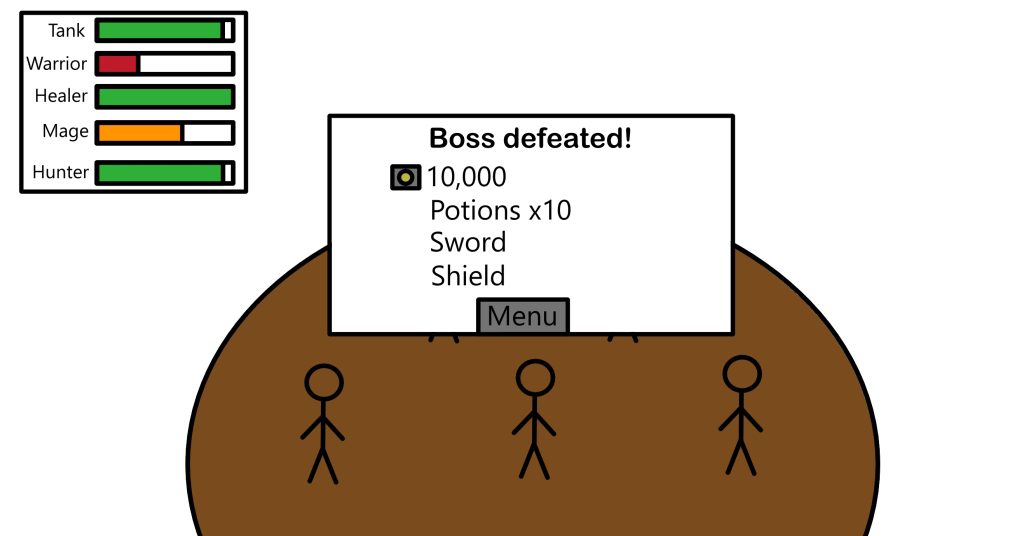
Once the boss of the campaign is defeated, the loot earned throughout the campaign is rewarded to the player and they are given a prompt to return to the main menu.
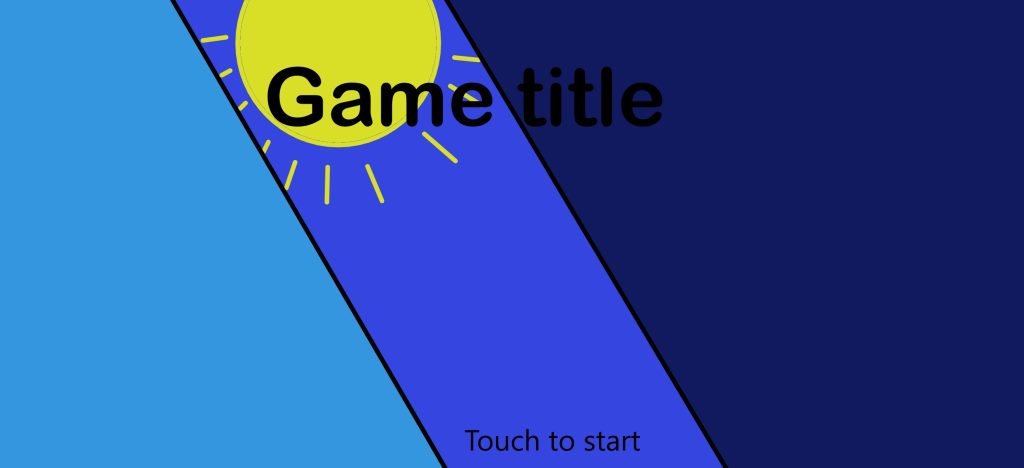
After finishing the different scenes, I started making them digitally. The screens are extremely basic but will get the point across.
[13/03/2022]
I added each screen to Adobe XD then connected them all to make it interactive.
The link to try out this protoype is: https://xd.adobe.com/view/09c6d0e5-cc96-4fdd-b2bb-df5edf740f70-5c95/
Mood board references
Kerouac, J (2015) D&D 5E Alternate Character Sheets [Image] Available online: https://epiclevelgaming.com/dd-5e-alternate-character-sheets/ [Accessed 01/03/2022]
Henges, E (2017) The Game-Breaking Glory of Final Fantasy V [Website] Available online: https://www.rpgsite.net/feature/6482-the-game-breaking-glory-of-final-fantasy-v [Accessed 01/03/2022]
RADMAN11, J (2011) Powerful Yu-gi-oh Cards [Website] Available online: https://discover.hubpages.com/games-hobbies/Powerful-Yu-gi-oh-Cards [Accessed 01/03/2022]
GAMEOLOGY. Top Trumps Marvel Retro Card Game [Image] Available online: https://www.gameology.com.au/products/top-trumps-marvel-retro [Accessed 01/03/2022]
Bulbapedia (2022) Full Art Zekrom [Image] Available online: https://bulbapedia.bulbagarden.net/wiki/Full_Art_card_(TCG) [Accessed 01/03/2022]
Bulbapedia (2022) English Charizard Pack (Shadowless) [Photograph] Available online: https://bulbapedia.bulbagarden.net/wiki/Base_Set_(TCG) [Accessed 01/03/2022]