Following the YouTube tutorials How To Make Rain Niagara Rain Particle System – Unreal Engine Tutorial (2021) and Thunder And Lightning – Unreal Engine 4 Tutorial (Aspland, 2020), I added rain, thunder and lightning VFX to an Unreal project.
The first tutorial I followed was how to add thunder and lightning.
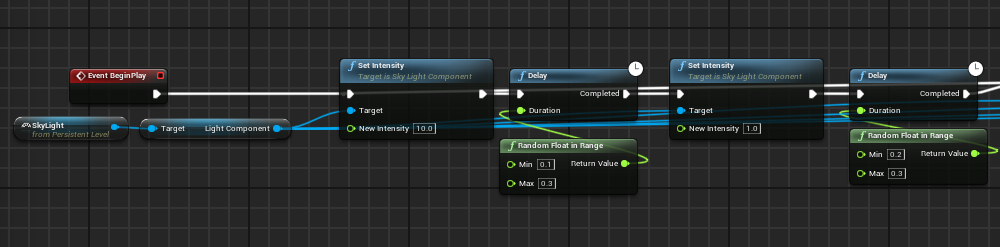
I started by adding event begin play to the level blueprint, from that I connected set intensity and set the target as the skylight. I set the intensity to 10 and added a delay. To the delay, I added a random float in range and connected another set intensity to the delay. I set that to 1. This would cause a random flash then set the lighting back to the normal level. I repeated this a few times so that there would be multiple flashes of lightning.
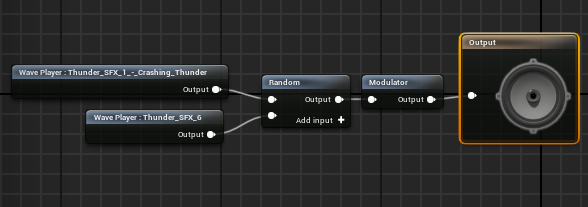
I then create a sound cue, to this I added two thunder sounds. I connected them to a random node, connected that to a modulator and then connected that to the output. This would cause a random thunder noise to play, giving variation the audio. The audio used, Thunder SFX 1 (2020) and Thunder SFX 2 (2020), is available on Matt Aspland’s YouTube channel.
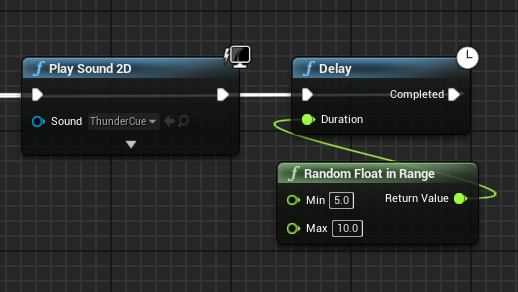
Finally, I connected play sound 2D to the end of the sequence. Within that I place the sound cue I created. I then placed a delay, with a random range, and connected it back to the beginning of the sequence. The range was higher for this delay as it was the delay between lightning striking again rather than the delay between the lightning strikes themselves.
I then followed the rain tutorial
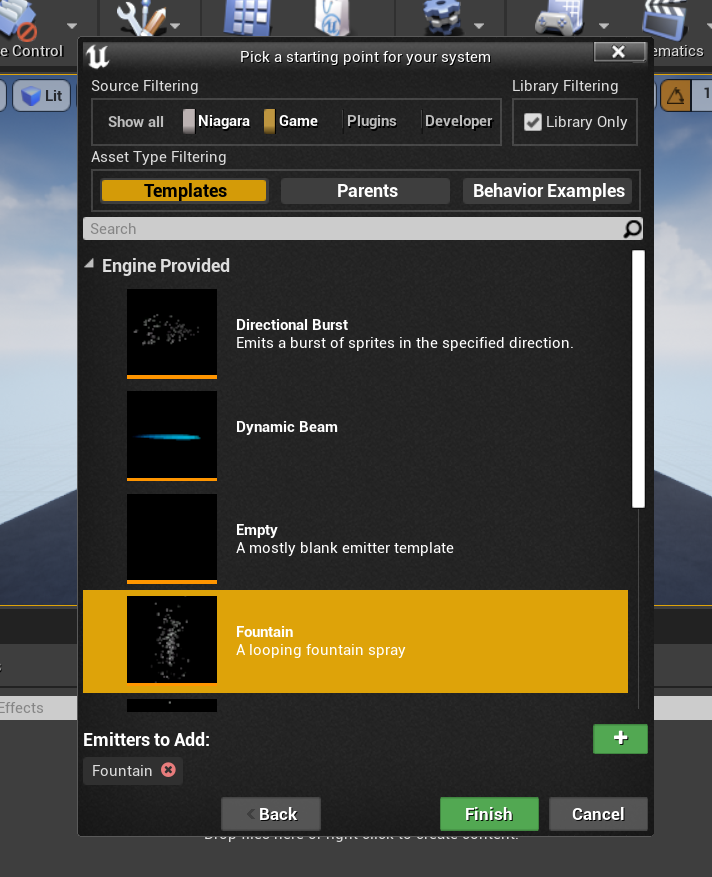
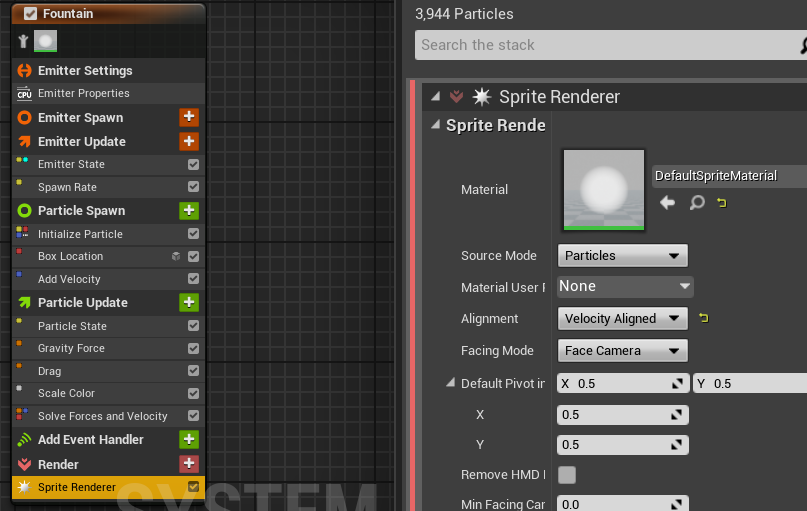
I started by creating a Niagara particle system and setting it to the fountain preset.
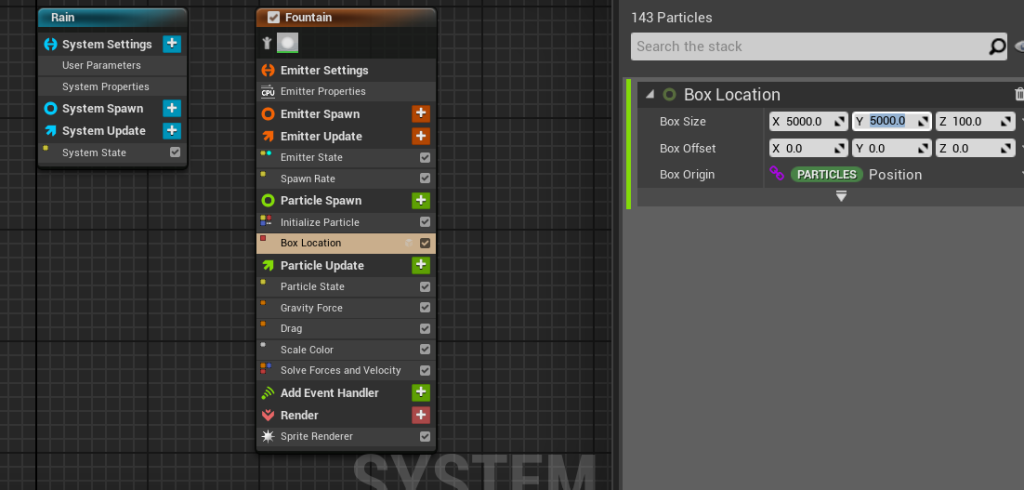
I then edited the particle system. I first deleted the sphere location and add velocity in cone so that the particles would fall downwards. After that I added box location to the particle spawn setting and set the X and Y value to box size. This causes the particles to spawn within the set range.
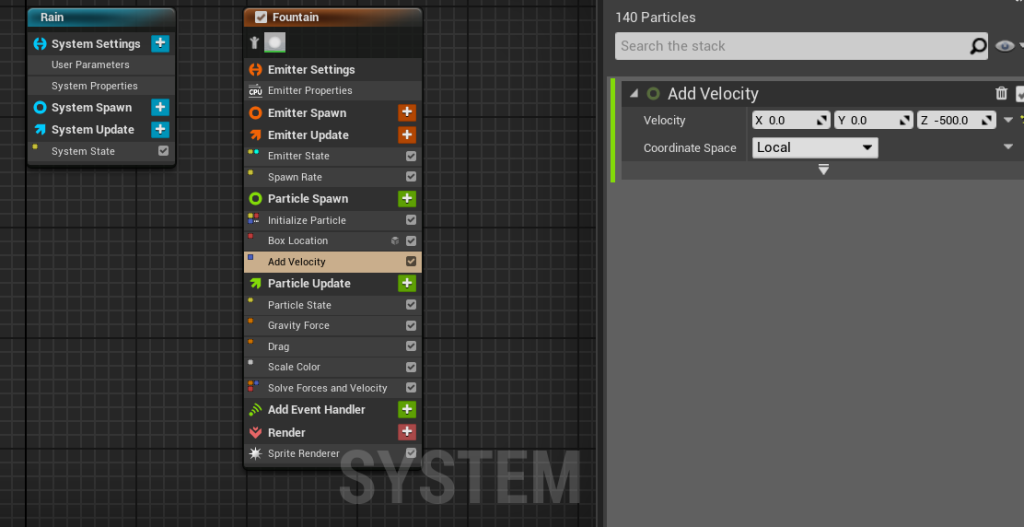
Next, I added add velocity so that the particles would fall faster. I set the velocity of Z to -500.
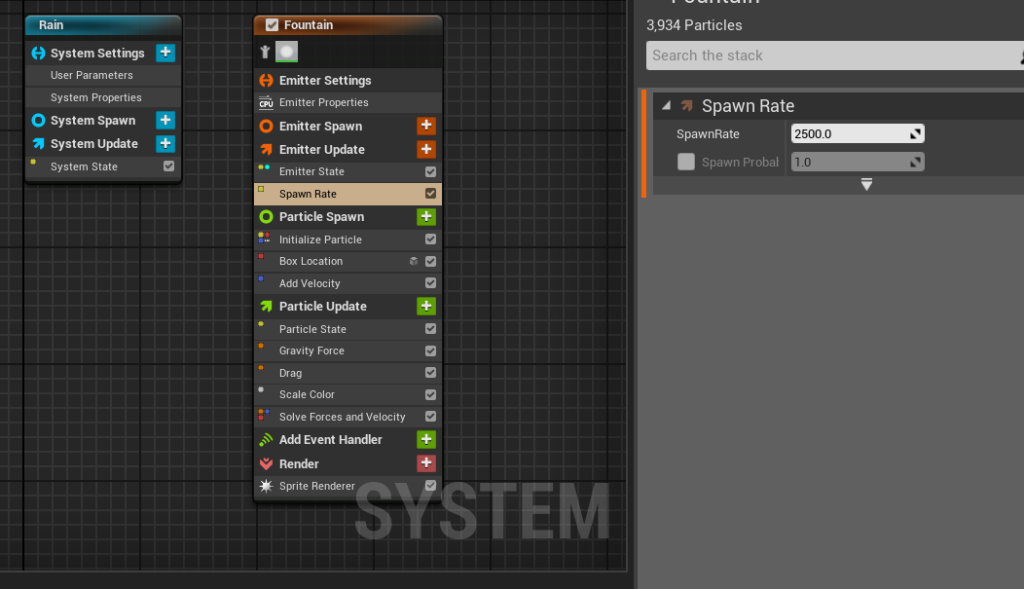
After that I added spawn rate to the emitter update and changed it to 2500 so that there would be more particles falling.
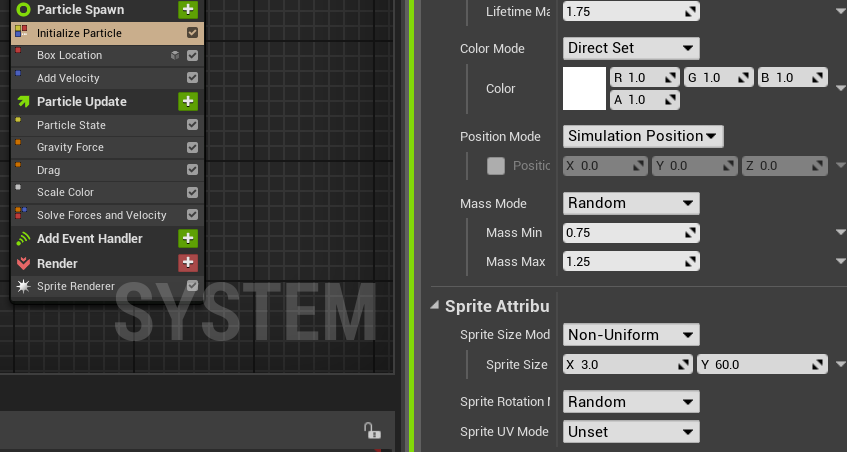
I then changed the particle size so that it would look more like rain. I did this by changing the sprite size mode to non uniform and changing the sprite size to X 3 and Y 60. This made the particle taller and thinner.
Finally, I changed the alignment to velocity aligned so that that particles would face downwards when they fall.
A video of my Unreal project with the rain and lightning in effect.
References:
Matt Aspland (2021) How To Make Rain Niagara Rain Particle System – Unreal Engine Tutorial [Video] Available online: https://www.youtube.com/watch?v=s_UQYuM1RWU
Matt Aspland (2020) Thunder And Lightning – Unreal Engine 4 Tutorial [Video] Available online: https://www.youtube.com/watch?v=MfIDR9ydDJA [Accessed 17/11/2022]
Matt Aspland (2020) Thunder SFX 1 [Video] Available online: https://www.youtube.com/watch?v=GNzyUdecyNg&list=PLQN3U_-lMANMKeqnSTkqCUQXoUDhHBQpe&index=2 [Accessed 17/11/2022]
Matt Aspland (2020) Thunder SFX 6 [Video] Available online: https://www.youtube.com/watch?v=lUdTpG9-cy0&list=PLQN3U_-lMANMKeqnSTkqCUQXoUDhHBQpe&index=7 [Accessed 17/11/2022]